
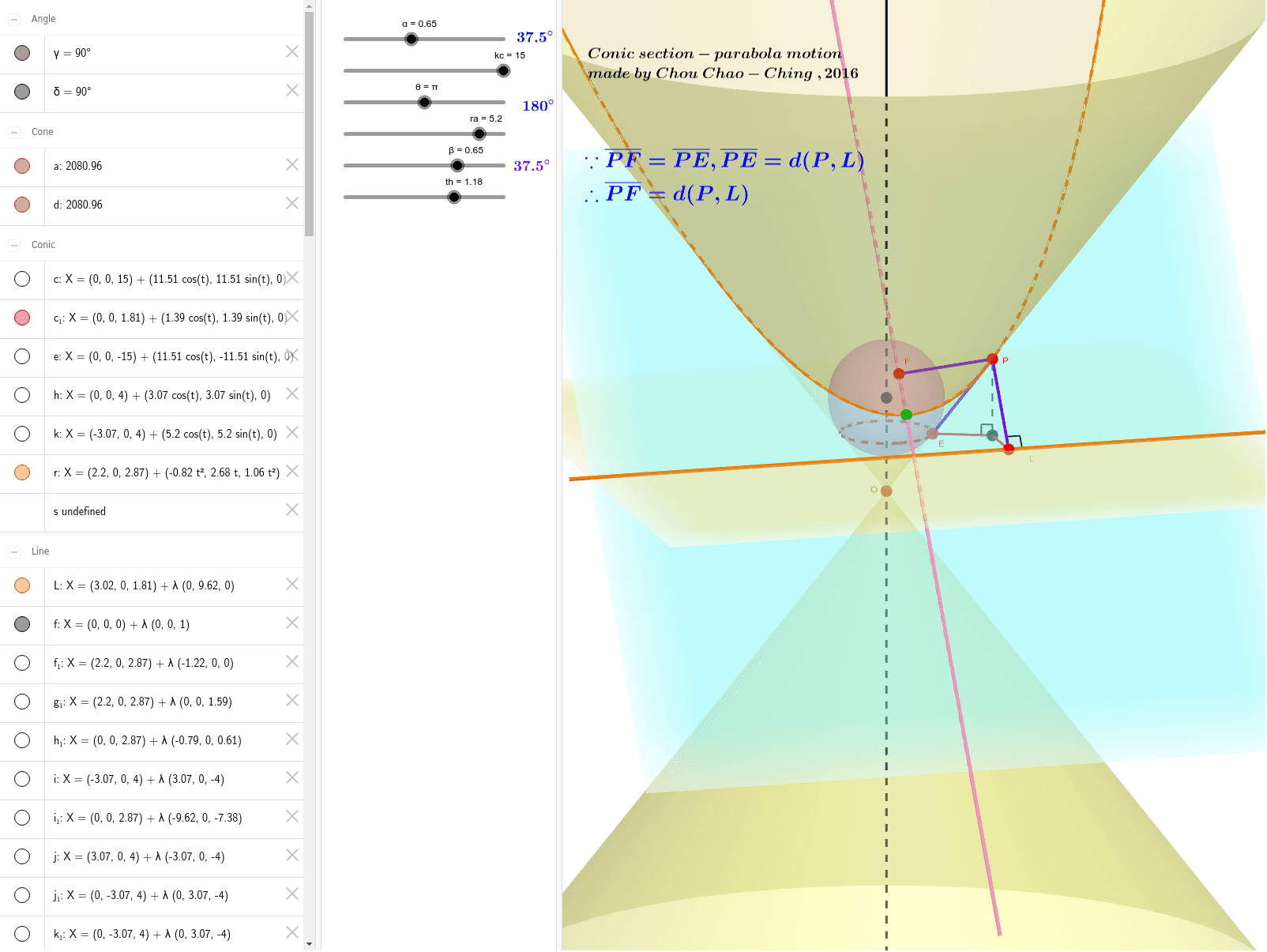
抛物线运动演示
几何画板及绘图内容加载中,请稍等……
①本范例演示抛物线的运动轨迹与几何性质;②涉及核心数学概念包括抛物线、对称性、指数函数、逻辑推理、立体几何中的立方体、中值定理;③作图要点提炼自构造摘要,使用了Intersect(交点)、OrthogonalLine(垂线)、Cone(锥体)、Mirror(镜像)、Line(直线)、Vector(向量)、Circle(圆)、Midpoint(中点)、Rotate(旋转)、Plane(平面)、Point(点)、IntersectPath(路径交点)、AngularBisector(角平分线)、Sphere(球体)、OrthogonalPlane(垂直平面)、Angle(角度)、Segment(线段)等GeoGebra命令/对象;④适合高中及以上数学学习者,用于理解抛物线的动态变化与几何构造。
GeoGebra 命令及参数
Intersect(xAxis, zAxis) → OOrthogonalLine(O, xOyPlane) → fCone(C, O, rc) → a, c, bMirror(C, O) → C'Cone(C', O, rc) → d, e, gLine(A, O) → iMirror(A, B) → A'Vector(O, C) → uCircle(A, ra, u) → kCircle(B, rb, f) → hLine(A', O) → jIntersect(h, k) → D, E_1, ,Midpoint(D, E_1) → G'Line(G', i) → nIntersect(n, zAxis) → GRotate(B, β, G, xOyPlane) → B'Plane(G, G', A) → lPlane(E_1, D, G) → mOrthogonalLine(G, m) → qPoint(q) → HVector(G, H) → vPlane(E_1, D, I) → oIntersectPath(o, a) → rIntersectPath(o, d) → sIntersect(j, r) → J,Intersect(f, o) → KLine(J, I) → tAngularBisector(t, j) → f_1, g_1Intersect(f, f_1) → L_1OrthogonalLine(L_1, j, space) → h_1Intersect(j, h_1) → M_1Sphere(L_1, M_1) → wOrthogonalLine(L_1, o) → i_1Intersect(i_1, o) → FOrthogonalPlane(M_1, f) → a_1IntersectPath(a_1, w) → c_1Intersect(i, s) → N,Midpoint(J, N) → MMirror(F, M) → F'Mirror(T, B) → T'Line(T', O) → pLine(T, O) → j_1Line(T, O) → k_1IntersectPath(o, a_1) → LLine(R, O) → m_1Intersect(m_1, r) → P,Intersect(m_1, c_1) → E,OrthogonalLine(P, a_1) → n_1Intersect(n_1, a_1) → SOrthogonalLine(P, L, space) → p_1Intersect(L, p_1) → UAngle(L, p_1) → γSegment(U, S) → q_1Segment(S, E) → r_1Segment(P, U) → s_1Segment(P, E) → t_1Segment(F, P) → b_1Angle(r_1, n_1) → δSegment(P, S) → d_1
AI 绘图提示语参考
画一个抛物线运动演示图,包含抛物线轨迹和对称性,展示核心数学概念。首先绘制坐标轴交点和垂直线,构建圆锥和镜像反射,然后创建向量、圆和旋转,接着用路径交点、中点和角度构造几何体,最后完成球体、平面和角平分线的动态变化展示。
以上提示语为根据原始绘图命令整理而来,仅供参考。