
P2减法演示
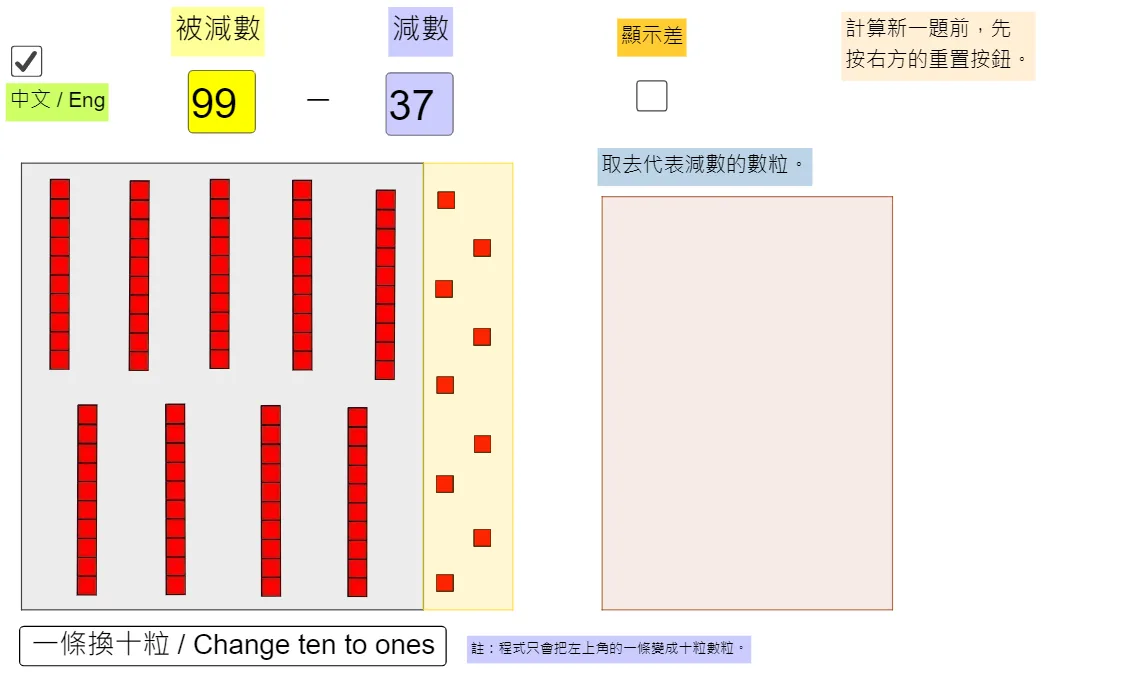
几何画板及绘图内容加载中,请稍等……
①本范例演示了P2减法的数学原理与计算过程;②涉及的核心数学概念包括数字运算、十进制减法、几何图形(多边形、金字塔)的表示;③作图要点提炼自构造摘要,使用了Textfield、Polygon、If、Mod、Div等GeoGebra命令与对象;④适合小学及以上学段学习减法运算、几何图形表示及编程逻辑思维训练。
GeoGebra 命令及参数
Textfield(Subtrahend) → InputBoxDividendTextfield(div) → InputBoxDivisorPolygon(Co2, Co3, Co4, Co1) → RegionTen, RegTenS1, RegTenS2, RegTenS3, RegTenS4Polygon(Co3, Co5, Co6, Co4) → RegionOne, RegOneS1, RegOneS2, RegOneS3, RegOneS4If(ShowChi, "被減數", "Minuend") → text1MinuendIf(ShowChi, "減數", "Subtrahend") → text2SubtrahendIf(ShowChi, "顯示差", "Show the difference") → text6ShowAnsIf(ShowChi, "註:程式只會把左上角的一條變成十粒數粒。", "Note: Only the bar at the upper left corner will be changed to 10 squares.") → Instruction2Polygon(BoxCo1, BoxCo3, BoxCo4, BoxCo2) → RegionBox, boxco1, boxco3, boxco4, boxco2If(ShowChi, "取去代表減數的數粒。", " Take away the squares representing the subtrahend.") → Instruction1Mod(Subtrahend, 10) → OneDiv(Subtrahend, 10) → Ten