
OMT分数加法
几何画板及绘图内容加载中,请稍等……
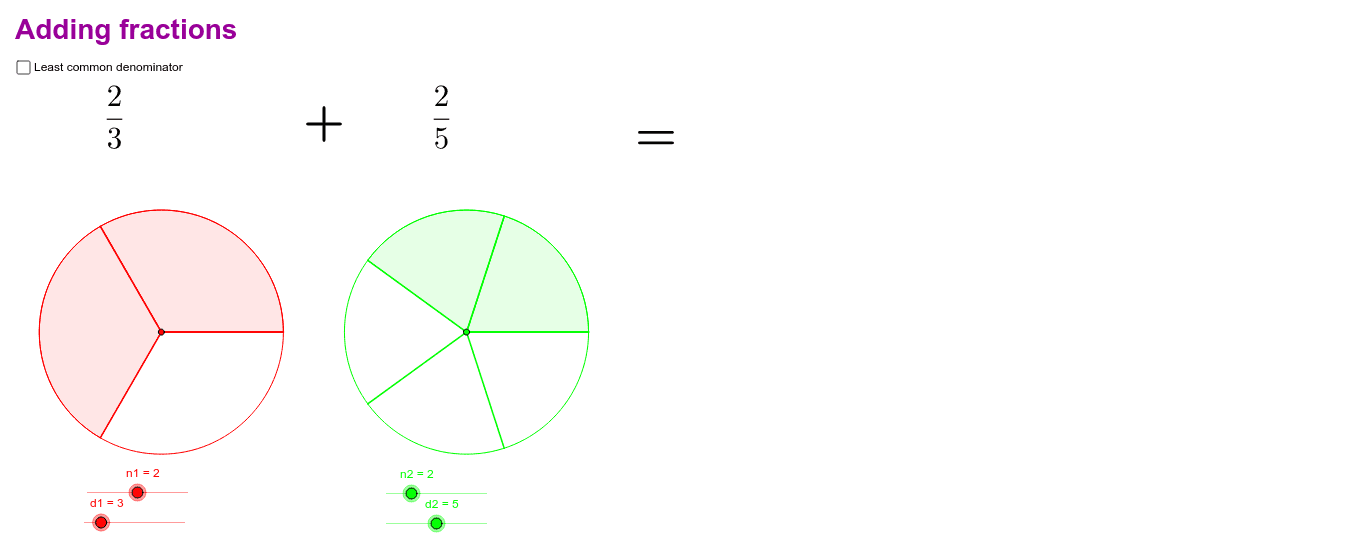
该范例演示了如何使用GeoGebra进行分数加法。核心数学概念包括分数的加法运算。通过使用Circle(圆)、Sequence(数列)和LCM(最小公倍数)等命令,用户可以直观地理解分数加法的过程。适合小学高年级至初中学生学习分数加法。
GeoGebra 命令及参数
Circle(A1, B1) → cCircle(A2, B2) → dSequence(Segment[A1, Rotate[B1, t°, A1]], t, 0, 360, 360 / d1) → list1Sequence(Segment[A2, Rotate[B2, t°, A2]], t, 0, 360, 360 / d2) → list2Sequence(CircleSector[A1, Rotate[B1, t°, A1], Rotate[B1, (t + 360 / d1)°, A1]], t, 0, ((n1 - 1) * 360 / d1), 360 / d1) → list3Sequence(CircleSector[A2, Rotate[B2, t°, A2], Rotate[B2, (t + 360 / d2)°, A2]], t, 0, ((n2 - 1) * 360 / d2), 360 / d2) → list4LCM(d1, d2) → lcdSequence(Segment[A1, Rotate[B1, t°, A1]], t, 0, 360, 360 / d11) → list5Sequence(Segment[A2, Rotate[B2, t°, A2]], t, 0, 360, 360 / d22) → list6