
乘法框与代数因式分解可视化
几何画板及绘图内容加载中,请稍等……
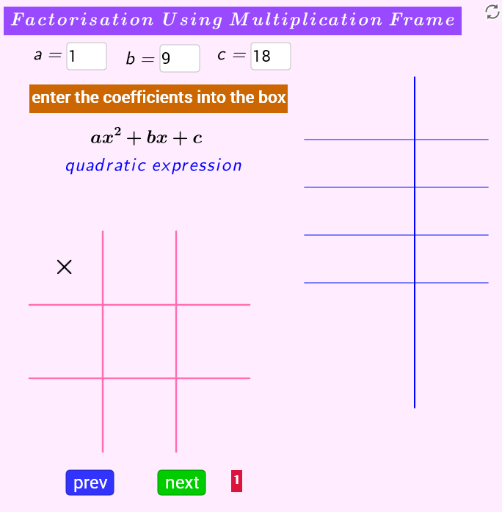
① 本范例通过一个交互式“乘法框”图形,直观展示代数表达式因式分解的过程,用户可输入多项式并观察其因子分解结果。② 核心数学概念包括代数因式分解、乘法分配律、因数列表、多项式因子以及函数图像与对称性。③ 作图要点:使用GeoGebra命令如DivisorsList、Factors、Sequence、IndexOf、Element、Textfield、Point、Segment、Text、Vector、Polygon等构建动态图形;对象包括输入框(InputBox1-3)、因子列表(listfactor1、list9_.factors2)、中点(list7_.midline)以及多个点、线段和文本标签,实现交互式输入与结果展示。④ 适合中学代数教学、因式分解练习及数学实验课,帮助学生理解因式分解的几何意义和代数结构。
GeoGebra 命令及参数
DivisorsList(d_.2) → listDivisorsFactors(d_.2) →Sequence(Element[list2, p] + Element[list3, p], p, 1, d) → list4IndexOf(b, list4) → poointElement(list2, pooint) → p_.1Element(list3, pooint) → p_.2Textfield(a) → InputBox1Textfield(b) → InputBox2Textfield(c) → InputBox3Sequence((4.5, 3 - (p * 1.3)), p, 1, d) → list5_.factors1Sequence((7, 6 - (p * 1.8)), p, 1, d + 3) → list7_.midlinePoint(list7_.midline) → ASegment(C, F) → jSegment(G, H) → kSegment(I, J) → lSegment(K, L) → mSequence(Text[Element[list2, p], Element[list5_.factors1, p]], p, 1, d) → listfactor1Sequence((5.5, 3 - (p * 1.3)), p, 1, d) → list9_.factors2Sequence(Text[Element[list3, p], Element[list9_.factors2, p]], p, 1, d) → listFactor2Sequence((7.5, 3 - (p * 1.3)), p, 1, d) → list11_.sumSequence(Text[Element[list4, p], Element[list11_.sum, p]], p, 1, d) → listSumSegment(Element[list7_.midline, 1], Element[list7_.midline, d + 2]) → iSequence((3.8, 3 - (p * 1.3)), p, 1, d) → list13_.brkt1Text("[", Element[list13_.brkt1, pooint]) → text22Sequence((9, 3 - (p * 1.3)), p, 1, d) → list14_.brkt2Text("]", Element[list14_.brkt2, pooint]) → text21Element(list13_.brkt1, pooint) → PKVector(PK, A_1) → wVector(PK, B_1) → nPolygon(U, V, W, Z) → poly1, u, v, w_1, z_1Polygon(C_1, D_1, E_1, F_1) → poly2, c_1, d_1, e_1, f_2Polygon(G_1, H_1, I_1, J_1) → poly3, g_2, h_2, i_1, j_1Polygon(O_1, P_1, Q_1, R_1) → poly5, o_1, p_2, q_1, r_1Polygon(S_1, T_1, U_1, V_1) → poly6, s_1, t_1, u_1, v_1Polygon(K_1, L_1, M_1, N_1) → poly4, k_1, l_1, m_1, n_1Sequence(Segment[(4, 3.8 - (p * 1.3)), (9, 3.8 - (p * 1.3))], p, 1, d + 1) → listSegment