
乘法演示
几何画板及绘图内容加载中,请稍等……
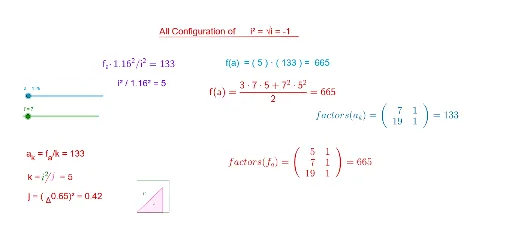
①本范例通过动态图形演示乘法运算与几何图形的关系;②涉及核心数学概念包括向量、多边形构造、积分与函数图像;③构造过程中使用了Point, Vector, Polygon, Segment, Line, Intersect, Integral, Textfield, Factors等GeoGebra命令与对象;④适合高中数学教学,用于理解函数、积分及几何作图的结合应用。
GeoGebra 命令及参数
Point(r) → CVector((0, 0), (1.16, a^(0.5))) → dPoint(d) → EVector((1.16, 0), (1.16, a^(0.5))) → cPoint(c) → FPolygon(D, E, F) → poly2, f_1, d_2, e_1Point(b) → APoint(w) → BPolygon(D, A, C, B) → poly1, d_1, a_1, c_1, b_1Segment(C, B) → gPoint(u) → GPoint(v) → HPolygon(D, H, G) → poly3, g_1, d_3, hLine(H, G) → lIntersect(p, l, (-1.4792041711822467, 0.22781892112178792)) → IIntersect(q_2, l, (0.22838, -1.4767443707086351)) → JSegment(I, J) → iVector(((t * a), 0)) → mPoint(n) → LVector((((3 * t) * a / 2), 0)) → sPoint(s) → KPolygon(D, K, L) → poly4, l_1, d_4, k_1Integral(q_2, 1, (a * 3)) → m_1Intersect(q, f, (5.923752436134908, 664.9999999636309)) → MIntegral(q, 1, 1.79) → r_1Textfield(a) → InputBox1Segment(N, O) → eFactors(f_a) → m1Factors(a_k) → m2Segment(P, Q) → j_1