
未分组数据的均值、中位数和众数
几何画板及绘图内容加载中,请稍等……
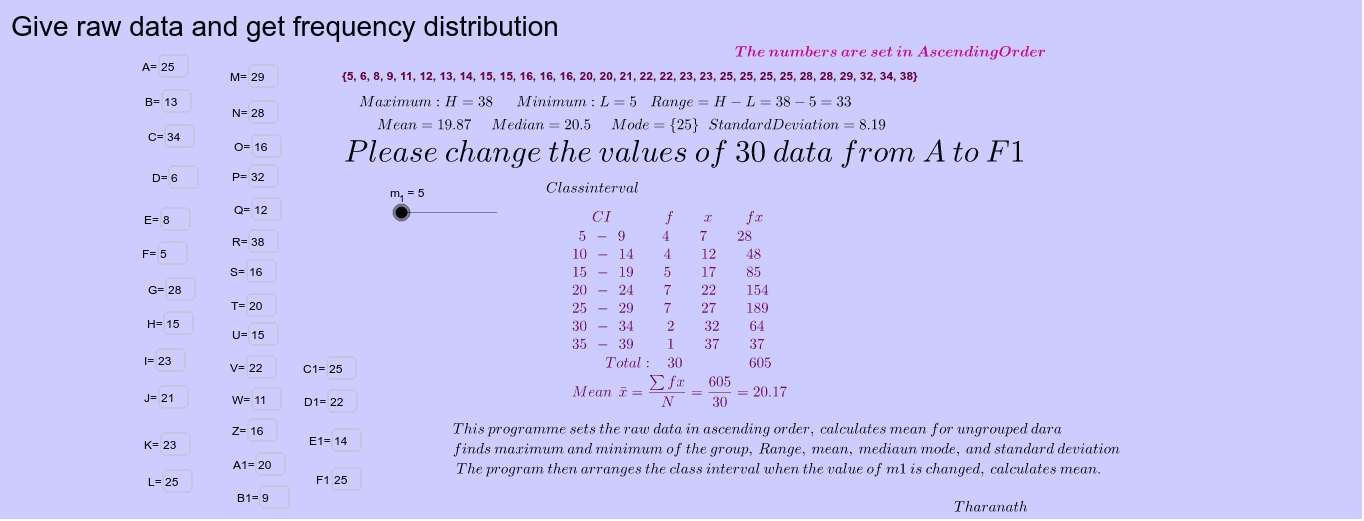
本范例演示如何计算未分组数据的均值、中位数和众数。学生需要在输入框A到F中输入数值。通过使用GeoGebra命令如Sort、Max、Min、Median、Mean、Mode等,可以直观地了解这些统计量的计算过程。适合初中及以上学生学习统计学基础知识。
GeoGebra 命令及参数
Textfield(a) → inputBox1Textfield(b) → inputBox2Textfield(c) → inputBox3Textfield(d) → inputBox4Textfield(e) → inputBox5Textfield(f) → inputBox6Textfield(g) → inputBox7Textfield(h) → inputBox8Textfield(i) → inputBox9Textfield(j) → inputBox10Sort({a, b, c, d, e, f, g, h, i, j}) → list1Textfield(k) → inputBox11Textfield(l) → inputBox12Textfield(m) → inputBox13Textfield(n) → inputBox14Textfield(o) → inputBox15Textfield(p) → inputBox16Textfield(q) → inputBox17Textfield(r) → inputBox18Textfield(s) → inputBox19Textfield(t) → inputBox20Textfield(u) → inputBox21Textfield(v) → inputBox22Textfield(w) → inputBox23Textfield(z) → inputBox24Textfield(a_1) → inputBox25Textfield(b_1) → inputBox26Textfield(c_1) → inputBox27Textfield(d_1) → inputBox28Textfield(e_1) → inputBox29Textfield(f_1) → inputBox30Sort({a, b, c, d, e, f, g, h, i, j, j, k, l, m, n, o, p, q, r, s, t, u, v, w, z, a_1, b_1, c_1, d_1, e_1, f_1}) → list2Sort({a, b, c, d, e, f, g, h, i, j, k, l, m, n, o, p, q, r, s, t, u, v, w, z, a_1, b_1, c_1, d_1, e_1, f_1}) → list3Max(list3) → g_1Min(list3) → h_1Median(list3) → i_1Mean(list3) → j_1Mode(list3) → list4SD(list3) → k_1Variance(list3) → l_1OrdinalRank(list3) → list5CountIf(x ≤ r1, list3) → n_1
AI 绘图提示语参考
绘制一组未分组数据的平均数、中位数和众数。首先输入10个数据点,然后对这些数据进行排序,找出最大值、最小值、中位数和平均数,最后确定众数。
以上提示语为根据原始绘图命令整理而来,仅供参考。