
旋转矩阵的表示
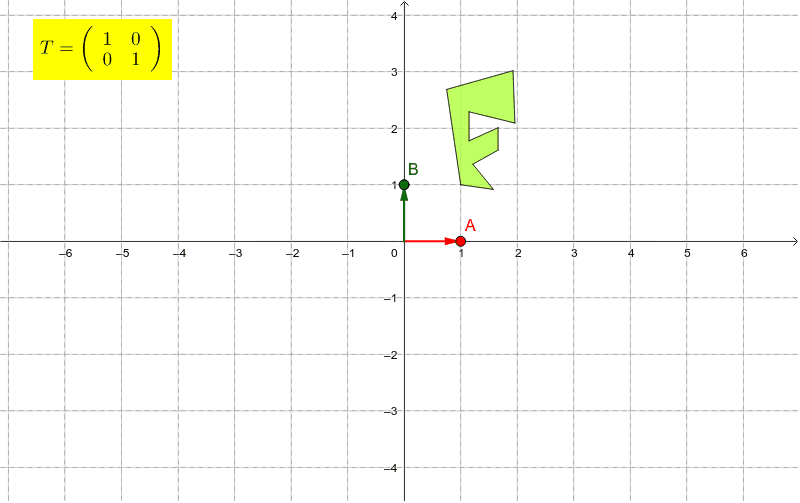
几何画板及绘图内容加载中,请稍等……
本范例通过点A和点B控制旋转矩阵T的列,演示了旋转矩阵如何通过向量表示旋转操作。使用了Sequence, Point, Segment, Vector, Polygon, ApplyMatrix等命令。适合高中数学教学,特别是解析几何和变换部分。
GeoGebra 命令及参数
Sequence((cos(t), sin(t)), t, 0*°, 350*°, 10*°) → ptsPoint(pts) → ASegment((0, 0), A) → aVector((0, 0), A) → uVector((0, 0), B) → vPolygon(C, D, E, F, G, H, I, J, K, L) → poly1, c, l, d, e, f, g, h, i, j, kApplyMatrix(matrix1, C) → C'ApplyMatrix(matrix1, D) → D'ApplyMatrix(matrix1, E) → E'ApplyMatrix(matrix1, F) → F'ApplyMatrix(matrix1, G) → G'ApplyMatrix(matrix1, H) → H'ApplyMatrix(matrix1, I) → I'ApplyMatrix(matrix1, J) → J'ApplyMatrix(matrix1, K) → K'ApplyMatrix(matrix1, L) → L'Polygon(C', D', E', F', G', H', I', J', K', L') → poly1', c', l', d', e', f', g', h', i', j', k'Sequence(Line[(t * B), u], t, -20, 20) → list1Sequence(Line[(t * A), v], t, -20, 20) → list2