
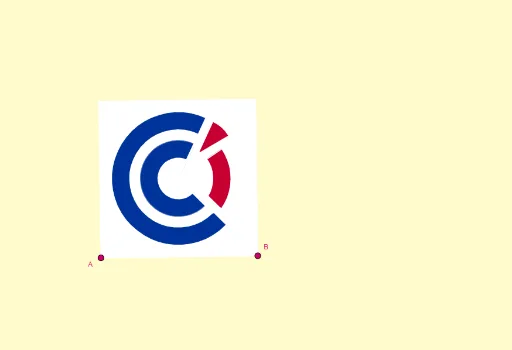
巴黎工商会标志的几何构造
几何画板及绘图内容加载中,请稍等……
① 本范例通过GeoGebra精确复现了巴黎工商会(CCI Paris)标志的几何图形,展示了如何利用基本几何元素构造一个具有对称美感的徽标。② 核心数学概念包括等边三角形、圆、对称、旋转、向量、垂线、角平分线、多边形与扇形等,涉及二维几何的经典作图与变换。③ 作图要点:从构造摘要可见,使用了Line(直线)、OrthogonalLine(垂线)、LineBisector(角平分线)、Vector(向量)、OrthogonalVector(正交向量)、Mirror(镜像)、Intersect(交点)、Circle(圆)、Rotate(旋转)、Midpoint(中点)、Polygon(多边形)、CircleSector(圆扇形)、Segment(线段)等GeoGebra命令,并定义了A、B、s、b、m、u、v、I、h、C、d、N、O、K、P、F、E、q、j、N_1、l、f、U、J、G、M、i、S、Q、H、g、D、M'等众多对象,通过逐步构造和对称变换形成完整标志。④ 适合高中或大学几何课程、数学建模或设计类教学,用于演示几何作图、对称变换和图形设计中的数学原理,也可作为GeoGebra高级命令的综合练习案例。
GeoGebra 命令及参数
Line(A, B) → sOrthogonalLine(A, s) → bLineBisector(A, B) → mVector(A, B) → uOrthogonalVector(u) → vOrthogonalLine(I, b) → hLineBisector(A, C) → dMirror(h, d) → h'Intersect(m, h') → NIntersect(m, d) → ECircle(E, P) → qLine(F, E) → jRotate(j, (7 * π / 18), E) → j'_1Line(N_1, j) → lOrthogonalLine(C, v, xOyPlane) → fIntersect(f, m) → UMidpoint(C, A) → JOrthogonalLine(M, d) → iMirror(i, m) → i'Intersect(h, m) → SMirror(Q, m) → Q'OrthogonalLine(B, u, xOyPlane) → gIntersect(g, f) → DMirror(M, m) → M'Midpoint(E, M') → LIntersect(g, h') → A_1Polygon(A, B, D, C) → q11, a_3, b_2, d_2, c_3Circle(E, N) → cCircle(E, O) → kCircle(E, K) → pIntersect(c, j) → R, TIntersect(k, j) → V, WIntersect(p, j) → Z, B_1Intersect(q, j) → C_1, E_1Intersect(c, j'_1) → F_1, G_1Intersect(k, j'_1) → H_1, I_1Intersect(p, j'_1) → J_1, K_1Intersect(q, j'_1) → L_1, M_1Circle(E, O_1) → e_1Circle(E, P_1) → f_1CircleSector(E, R, G_1) → rCircleSector(E, C_1, M_1) → d_1CircleSector(E, V, I_1) → tCircleSector(E, Z, K_1) → c_1Rotate(l, (7 * π / 18), E) → j'Intersect(e_1, j') → Q_1, R_1Intersect(f_1, j') → S_1, T_1Intersect(c, l) → U_1, V_1Intersect(f_1, l) → W_1, Z_1Rotate(U_1, (-(35°)), W_1) → A_2CircleSector(W_1, A_2, U_1) → eRotate(W_1, (-(15°)), E) → B_2Line(A_2, W_1) → nLine(B_2, n) → aIntersect(e_1, a) → C_2, G_2Intersect(a, j') → H_2CircleSector(E, R_1, C_2) → g_1CircleSector(E, T_1, B_2) → h_1Polygon(E, R_1, H_2) → t1, i_1, j_1, l_1CircleSector(E, Z, K_1) → k_1Segment(E, R) → m_1Segment(E, I_1) → n_1Segment(E, C_2) → p_1Segment(E, R_1) → q_1
AI 绘图提示语参考
绘制巴黎商会标志,首先画出AB线段,然后构造其垂线和角平分线,接着利用向量和旋转生成关键点和线段,通过镜像和交点操作构建多边形和圆弧,最终形成标志的整体形状。
以上提示语为根据原始绘图命令整理而来,仅供参考。