
用镜像与向量构造 Logo IKASNOVA 的几何对称图
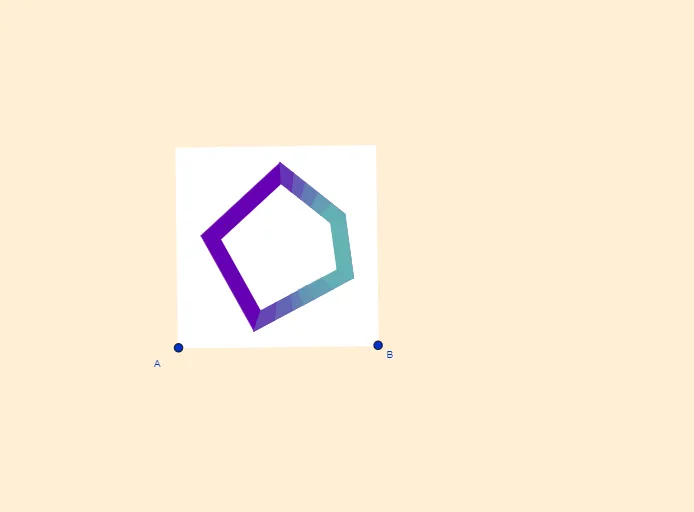
几何画板及绘图内容加载中,请稍等……
该范例展示如何通过几何作图与对称变换,构造出 Logo IKASNOVA 风格的线稿图形。其核心数学概念包括:向量的方向表示与正交处理(OrthogonalVector、OrthogonalLine)、直线与中点/中垂线的构造(Midpoint、LineBisector)、镜像变换(Mirror)、以及交点与多边形拼合(Intersect、Polygon)来获得稳定的对称结构。作图要点:从“构造摘要”提炼的 GeoGebra 命令主要有 LineBisector(线段中垂线)、Vector(向量)、OrthogonalVector(正交向量)、Line(直线)、OrthogonalLine(作正交线)、Mirror(镜像)、Intersect(求交)、Polygon(生成多边形)、Midpoint(求中点),并使用对象如 A、B、m、u、D、v、F、E、G、H、K、S、以及多组文字标注 texto1、texto2 来组织图形与标识。适合中学阶段的几何作图课、数学建模与信息技术结合的图形设计入门,也适合作为“变换几何与几何构造”专题的课堂示范或社团活动制作模板。
GeoGebra 命令及参数
LineBisector(A, B) → mVector(A, B) → uOrthogonalVector(u) → vLineBisector(A_1, A) → lLine(A, B) → sOrthogonalLine(D, s) → iMirror(i, m) → i'OrthogonalLine(A, s) → bOrthogonalLine(A_1, b) → rOrthogonalLine(F, b) → fMirror(f, l) → f'Intersect(i', f') → PIntersect(i, f') → EIntersect(m, l) → KMirror(f, l) → f'_1OrthogonalLine(G, f'_1) → hOrthogonalLine(B, u, xOyPlane) → gIntersect(g, r) → CMirror(F, l) → F'Polygon(A_1, C, B, A) → c4, a_1, c_3, b_2, a_2OrthogonalLine(H, f'_1) → kIntersect(i', f) → J_1Intersect(f, m) → D_1Intersect(f, k) → JIntersect(l, i) → MLine(L, l) → jPolygon(S, L, J, R, Q) → poly1, s_1, l_1, j_1, r_1, qLine(O, l_1) → nLine(O, s_1) → pLine(I, q) → tLine(N, r_1) → cLine(N, j_1) → dIntersect(p, t) → TIntersect(c, t) → VIntersect(n, d) → WPolygon(O, T, V, N, W) → poly2, o, t_1, v_1, n_1, wVector(W, N) → aVector(J, R) → eVector(T, V) → u_1Vector(S, Q) → w_1Polygon(B_1, C_1, H_1, G_1) → q1, b_1, c_1, h_1, g_1Polygon(C_1, E_1, I_1, H_1) → q2, f_1, i_1, k_1, m_1Polygon(E_1, F_1, K_1, I_1) → q3, p_1, q_1, d_1, f_2Polygon(L_1, M_1, Q_1, P_1) → q4, g_2, h_2, i_2, j_2Polygon(M_1, N_1, R_1, Q_1) → q5, k_2, l_2, m_2, n_2Polygon(N_1, O_1, S_1, R_1) → q6, p_2, o_1, q_2, r_2Polygon(W, B_1, G_1, J) → q7, w_2, s_2, t_2, j_3Polygon(F_1, N, R, K_1) → q8, c_2, n_3, r_3, d_2Polygon(V, Q, R, N) → q9, v_2, q_3, r_4, n_4Polygon(T, P_1, L_1, S) → q10, t_3, f_3, g_3, s_3Polygon(Q, O_1, S_1, V) → q11, q_4, h_3, i_3, v_3Midpoint(H_1, I_1) → T_1Midpoint(C_1, E_1) → U_1Polygon(U_1, E_1, I_1, T_1) → q12, k_3, l_3, m_3, p_3
AI 绘图提示语参考
绘制一个由镜像对称和向量组合构成的几何图形,展示如何通过经典几何构造和对称性创建类似 IKASNOVA 的标志线条。首先绘制一条线段并找到其中点,然后利用向量和正交性构造对称轴和中垂线,通过镜像变换确保对称性,并计算交点。最后用多边形连接这些点,形成复杂的几何图案,体现向量、正交线、中垂线和镜像变换的应用。
以上提示语为根据原始绘图命令整理而来,仅供参考。