
分数乘除法演示
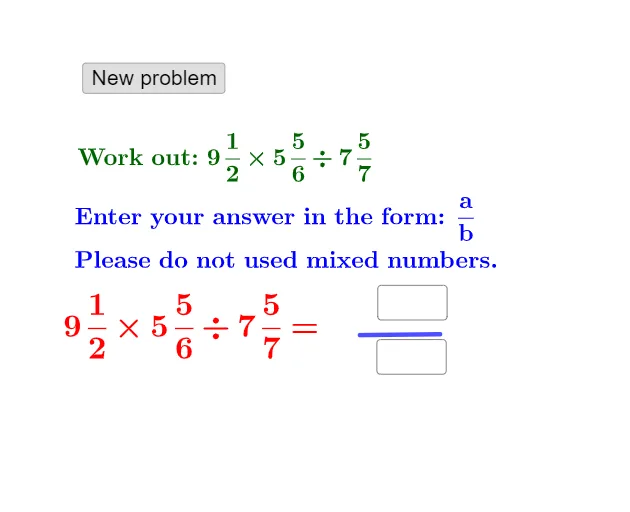
几何画板及绘图内容加载中,请稍等……
①本范例演示了分数乘除法的计算过程与几何表示;②涉及核心数学概念包括分数运算、混合数转换、几何图形构建;③通过 GeoGebra 命令 Random, Textfield, Numerator, Denominator, Segment, If, FractionText, 以及对象 a, b, d, e, f, g, h, i, c, button1, j, k, InputBox1, text3, l, m, n, text4, A, B, p, o, InputBox2, text2, q, r, s, text6, text7, text8, text1, text5 实现了随机数生成、输入输出交互、分数表示与图形化;④适合初中及以上数学教学,用于分数运算的直观理解与练习。
GeoGebra 命令及参数
Random(1, 10) → aRandom(1, 10) → bRandom(1, 10) → dRandom(1, 10) → eRandom(e + 1, 12) → fRandom(1, 10) → gRandom(1, 10) → hRandom(h + 1, 12) → iRandom(b + 1, 12) → cTextfield(k) → InputBox1Numerator(j) → lDenominator(j) → mSegment(A, B) → pTextfield(o) → InputBox2If(l ≟ k ∧ m ≟ o, "Correct!", "Wrong. Try again.") → text2FractionText(q) → text6FractionText(r) → text7FractionText(s) → text8
AI 绘图提示语参考
在画布上创建三个随机分数,分别显示在不同的文本区域;在分数旁边分别设置两个输入框,让用户分别输入分数的分子和分母;再添加一条连接两点的线段作为几何元素;当用户在输入框中输入正确的分子和分母时,显示“Correct!”的反馈信息,输入错误则显示“Wrong. Try again.”;整个界面应包含分数的数值显示、输入交互区域和几何图形展示三个部分。
以上提示语为根据原始绘图命令整理而来,仅供参考。