
因式分解求根练习
几何画板及绘图内容加载中,请稍等……
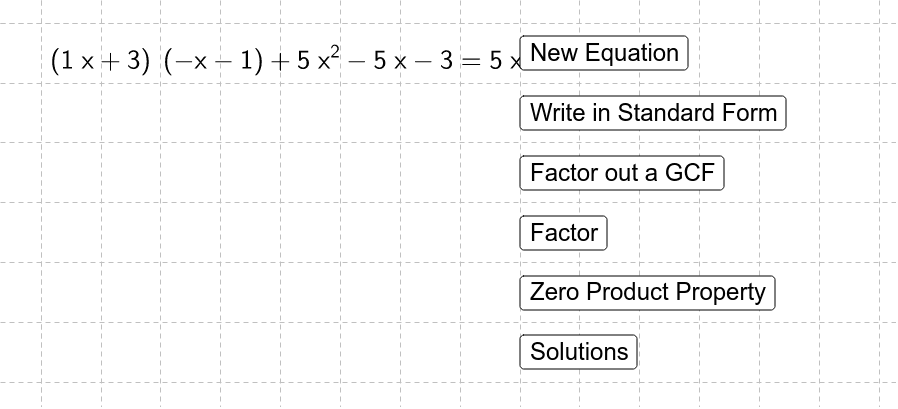
本范例演示如何通过因式分解二次方程来找到其根。涉及的核心数学概念包括二次方程、因式分解和根的性质。作图要点使用了 GeoGebra 命令如 RandomElement, Random, Simplify, Coefficients, RandomPolynomial, Factor, GCD, FractionText, If 等,以及对象如 a, d, c, b, final, list1 等。适合高中数学教学和练习使用。
GeoGebra 命令及参数
RandomElement({-3, -2, -1, 1, 2, 3}) → aRandom(-10, 10) → dRandom(-10, 10) → cRandomElement({-3, -2, -1, 1, 2, 3}) → bSimplify((((a * x) - c) * ((b * x) - d))) → finalCoefficients(final) → list1RandomPolynomial(2, -7, 7) → rightSimplify(final(x) + right(x)) → leftFactor(final) → fGCD(a, c) → gcdacGCD(b, d) → gcdbdSimplify(If[a < 0, ((a * x) - c) / ((-gcdac)), ((a * x) - c) / gcdac]) → factor1Simplify(If[b < 0, ((b * x) - d) / ((-gcdbd)), ((b * x) - d) / gcdbd]) → factor2FractionText(c / a) → text5FractionText(d / b) → text6If(Element[list1, 1] < 0, (-GCD[Coefficients[final]]), GCD[Coefficients[final]]) → eSimplify(final(x) / e) → divideoutgcdFactor(divideoutgcd) → g