
小学九年级整数的分类练习
几何画板及绘图内容加载中,请稍等……
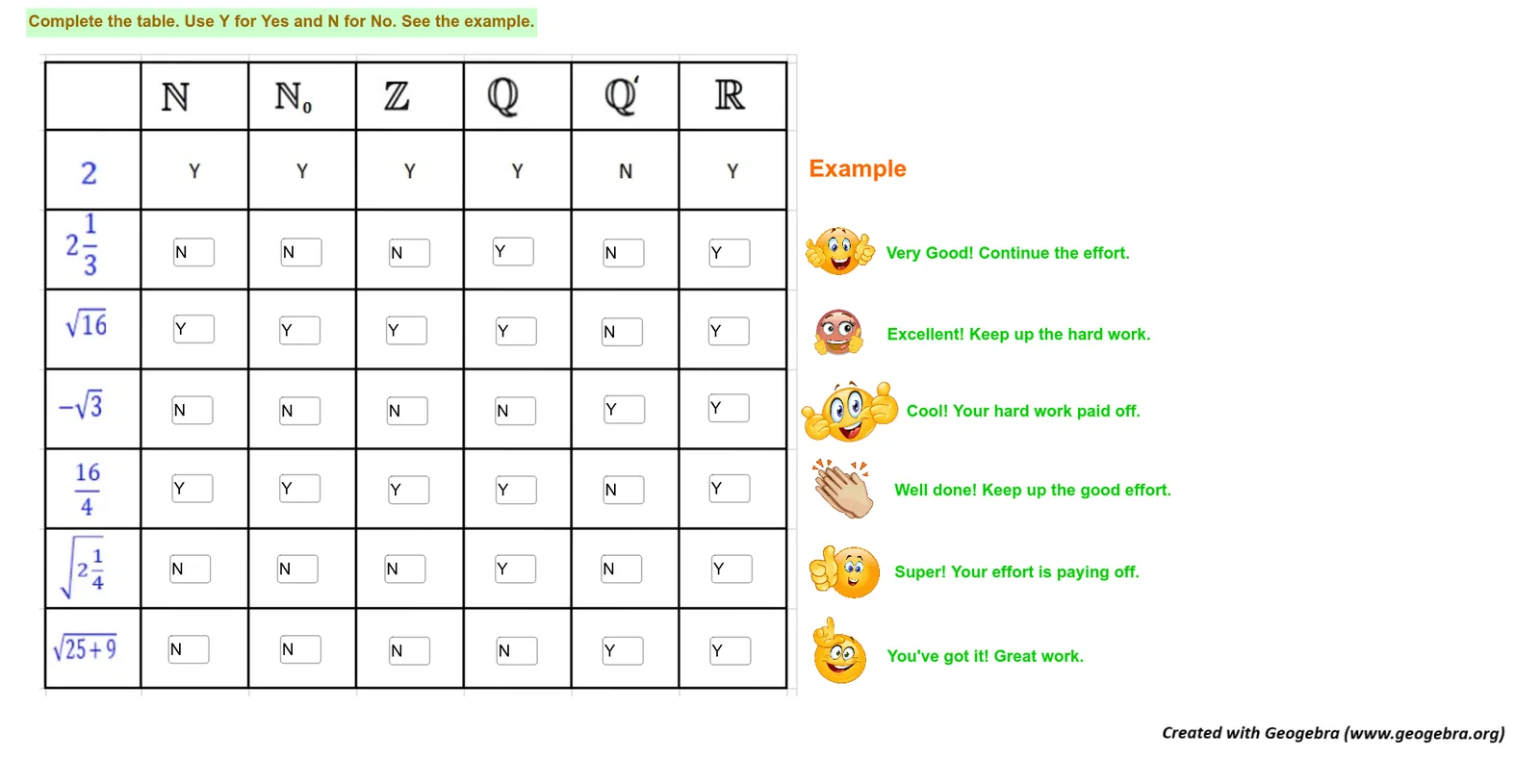
本范例演示如何通过分类方法对整数进行整理与分析。核心数学概念包括整数的分类、数字的频率分布以及分类统计的基本原理。作图要点涉及使用GeoGebra中的Textfield、InputBox等工具创建分类标签和输入框。适合小学九年级学生用于巩固整数分类知识,适用于数学课堂练习和自主学习。
GeoGebra 命令及参数
Textfield(text9) → InputBox1Textfield(text10) → InputBox2Textfield(text11) → InputBox3Textfield(text31) → InputBox8Textfield(text19) → InputBox5Textfield(text36) → InputBox6Textfield(text65) → textfield2Textfield(text69) → textfield3Textfield(text9) → InputBox7Textfield(text47) → InputBox9Textfield(text68) → InputBox11Textfield(text56) → InputBox4Textfield(text64) → InputBox10Textfield(text82) → InputBox12Textfield(text4) → InputBox13Textfield(text7) → InputBox14Textfield(text13) → InputBox15Textfield(text16) → InputBox16Textfield(text18) → InputBox17Textfield(text22) → InputBox18Textfield(text26) → InputBox19Textfield(text28) → InputBox20Textfield(text33) → InputBox21Textfield(text34) → InputBox22Textfield(text38) → InputBox23Textfield(text45) → InputBox24Textfield(text51) → InputBox25Textfield(text53) → InputBox26Textfield(text55) → InputBox27Textfield(text59) → InputBox28Textfield(text61) → InputBox29Textfield(text72) → InputBox30Textfield(text77) → InputBox31Textfield(text79) → InputBox32Textfield(text80) → InputBox33Textfield(text81) → InputBox34Textfield(text86) → InputBox35
AI 绘图提示语参考
绘制一个用于九年级整数分类练习的交互式工作表。页面包含一个标题区域和多个输入框,每个输入框旁配有对应的文本标签,用于填写或显示整数。整体布局为网格状,输入框与标签成对排列,形成清晰的分类表格。背景为白色,文字为黑色,输入框带有边框。构造顺序为先放置标题和说明文字,再依次排列各输入框及其标签,确保对齐整齐。
以上提示语为根据原始绘图命令整理而来,仅供参考。