
将矩形分成两等份
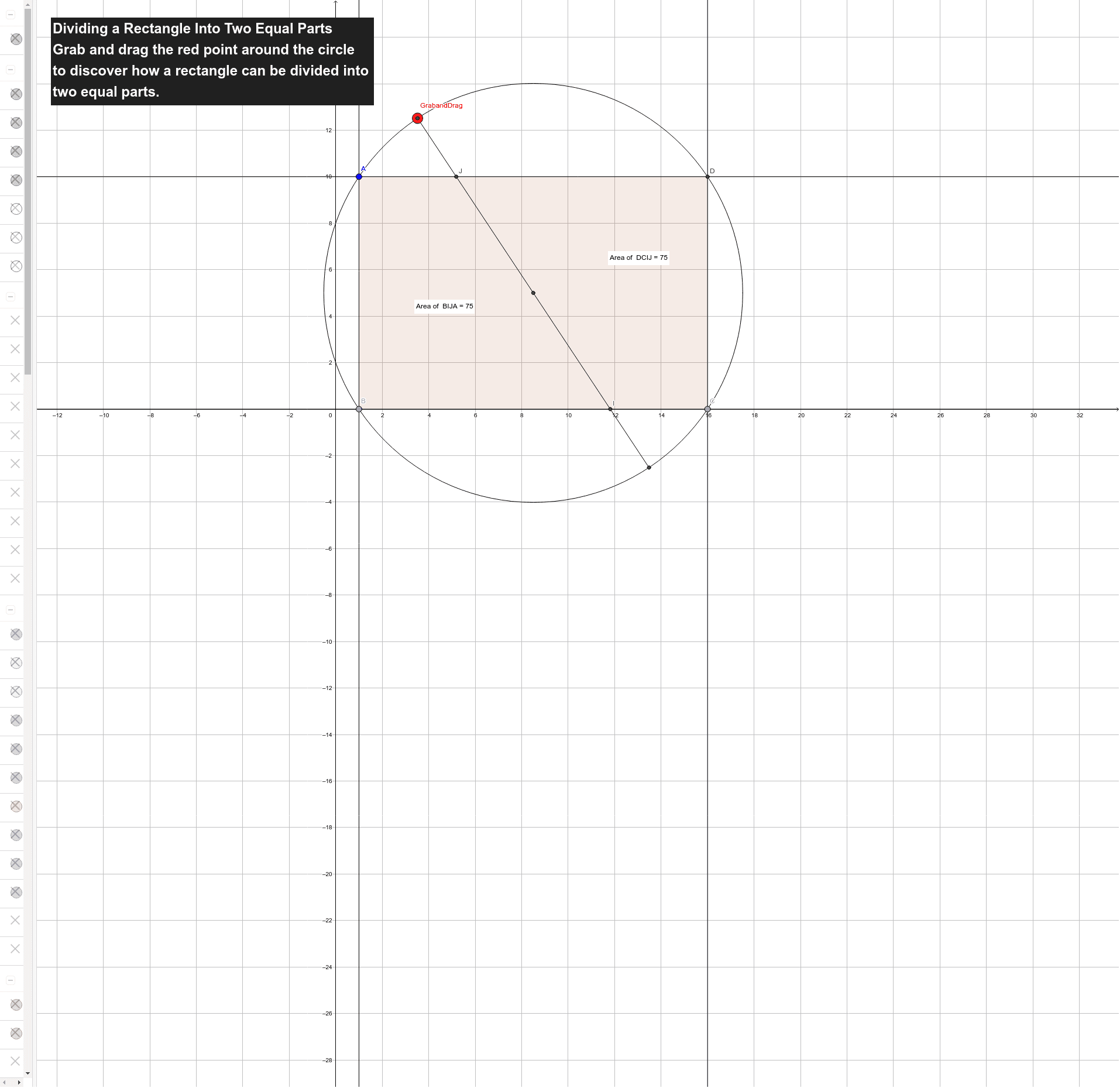
几何画板及绘图内容加载中,请稍等……
这个范例演示如何将矩形分成两等份。核心数学概念包括比例和线段。通过使用GeoGebra命令如Point, Line, Intersect, Segment, Polygon等,可以直观地展示几何作图的过程。适合初中及以上学生学习几何作图和比例概念。
GeoGebra 命令及参数
Point(xAxis) → BLine(A, B) → aOrthogonalLine(A, a) → bOrthogonalLine(B, a) → cPoint(c) → COrthogonalLine(C, c) → dIntersect(b, d) → DLine(A, C) → eLine(B, D) → fIntersect(e, f) → ECircle(E, A) → gPoint(g) → GrabandDragLine(GrabandDrag, E) → hIntersect(g, h) → G, HSegment(GrabandDrag, H) → iIntersect(c, i) → IIntersect(b, i) → JPolygon(D, C, I, J) → poly1, d_1, c_1, i_1, jPointIn(poly1) → Pointpoly1Polygon(B, I, J, A) → poly2, b_1, i_2, j_1, a_1PointIn(poly2) → Pointpoly2Intersect(a, i) → KIntersect(d, i) → LPolygon(K, B, C, L) → poly3, k, b_2, c_2, lPointIn(poly3) → Pointpoly3Polygon(D, L, K, A) → poly4, d_2, l_1, k_1, a_2PointIn(poly4) → Pointpoly4Perimeter(Polygon[(1, 10), (1, 0), (6.17, 0), (10.83, 10)]) → mDistance(A, K) → distanceAKMidpoint(A, K) →Distance(K, L) → distanceKLMidpoint(K, L) →Distance(L, D) → distanceLDMidpoint(L, D) →Distance(D, A) → distanceDAMidpoint(D, A) →Distance(B, I) → distanceBIMidpoint(B, I) →Distance(I, J) → distanceIJMidpoint(I, J) →Distance(J, A) → distanceJAMidpoint(J, A) →Distance(A, B) → distanceABMidpoint(A, B) →
AI 绘图提示语参考
画一个矩形,然后将它分成两个相等的部分。首先,画一条水平线穿过矩形的中心,接着画一条垂直线穿过矩形的中心。这两条线的交点将矩形分为四个相等的区域。然后,连接对角线的中点,形成两条对角线的中点连线,这两条线将矩形分成两个相等的部分。
以上提示语为根据原始绘图命令整理而来,仅供参考。