
骰子的面
几何画板及绘图内容加载中,请稍等……
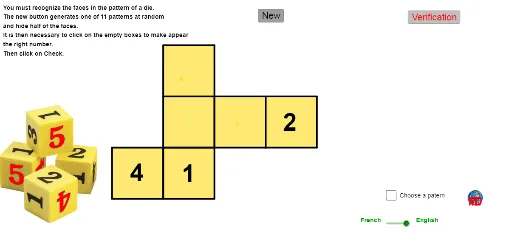
①本范例演示了如何使用 GeoGebra 构造不同形状的骰子面,包括正方形、菱形和三角形等;②涉及的核心数学概念有几何作图、随机数生成、中心点计算、条件判断和分布展示;③作图要点提炼自构造摘要,使用了 Polygon(多边形)、Random(随机)、If(条件)、Element(元素)、Centroid(中心点)、Text(文本)等命令和对象;④适合高中及以上学生学习和理解立体几何、概率统计以及编程几何作图。
GeoGebra 命令及参数
Polygon(A_1, A_1 + (1, 0), A_1 + (1, -1), A_1 + (0, -1)) → poly1, a, b, c, dPolygon(A_2, A_2 + (1, 0), A_2 + (1, -1), A_2 + (0, -1)) → poly2, e, f, g, hPolygon(A_3, A_3 + (1, 0), A_3 + (1, -1), A_3 + (0, -1)) → poly3, i, j, k, lPolygon(A_4, A_4 + (1, 0), A_4 + (1, -1), A_4 + (0, -1)) → poly4, m, n, p, a_1Polygon(A_5, A_5 + (1, 0), A_5 + (1, -1), A_5 + (0, -1)) → poly5, q, r, s, tPolygon(A_6, A_6 + (1, 0), A_6 + (1, -1), A_6 + (0, -1)) → poly6, b_1, c_1, d_1, e_1Random(1, 6) → decalageIf(Random[0, 1] ≟ 1, true, false) → voir3If(Random[0, 1] ≟ 1, true, false) → voir2If(Random[0, 1] ≟ 1, true, false) → voir1If(choisir, np, Random[1, 11]) → nppElement(patrons, npp) → patronCentroid(poly3) → ACentroid(poly2) → BCentroid(poly1) → CCentroid(poly6) → DText(de6, D - (0.15, 0.15)) → txt6Centroid(poly5) → EText(de5, E + (-0.15, -0.15)) → txt5Centroid(poly4) → FText(de4, F - (0.15, 0.15)) → txt4Text(de2, B - (0.15, 0.15)) → txt2Centroid(poly3) → GText(de3, G - (0.15, 0.15)) → txt3Text(de1, C - (0.15, 0.15)) → txt1
AI 绘图提示语参考
绘制六个菱形代表骰子的面,每个菱形内部随机放置1到6的数字,数字位置位于菱形中心的上下左右偏移处,整体展示骰子面的几何构造和随机数字分布。
以上提示语为根据原始绘图命令整理而来,仅供参考。