
圆柱体填充演示
几何画板及绘图内容加载中,请稍等……
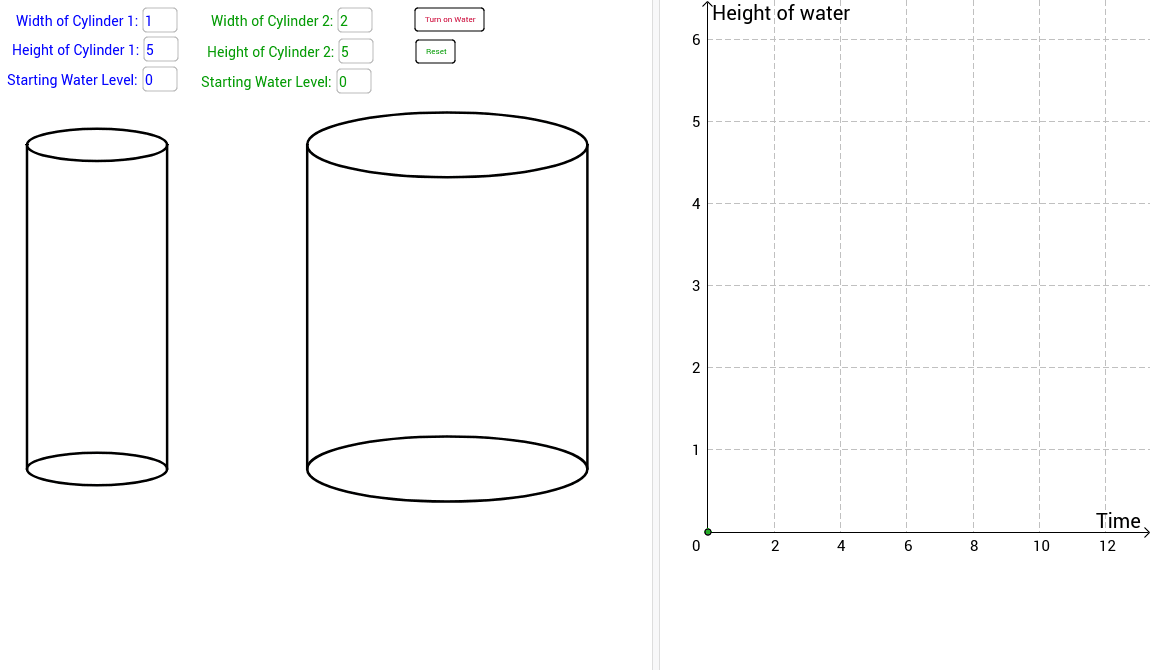
①本范例演示圆柱体随高度变化的水位填充过程及相关函数图像;②涉及核心数学概念包括圆柱体积计算、函数关系、几何变换与数据可视化;③构造要点运用了Textfield文本框、Polygon多边形、Max最大值函数等GeoGebra命令,通过滑块动态调整水位与尺寸参数;④适合高中立体几何、函数图像与数据分析教学,可用于演示体积公式应用与参数影响。
GeoGebra 命令及参数
Textfield(width1) → inputBox1Textfield(width2) → inputBox2Textfield(height1) → inputBox3Textfield(height2) → inputBox4Polygon(A1, (x(A1) + width1, y(A1)), (x(A1) + width1, y(A1) + height1), (x(A1), y(A1) + height1)) → polyc1edge, a1, a, b, c_1Polygon(A1, (x(A1) + width1, y(A1)), (x(A1) + width1, y(A1) + wheight1), (x(A1), y(A1) + wheight1)) → polyc1water, a1_1, d, e, fPolygon(A1, (x(A1) + width1, y(A1)), (x(A1) + width1, y(A1) + height1), (x(A1), y(A1) + height1)) → polyc1full, a1_2, g, h, iPolygon(A2, (x(A2) + width2, y(A2)), (x(A2) + width2, y(A2) + height2), (x(A2), y(A2) + height2)) → polyc2edge, a2, j, k, lPolygon(A2, (x(A2) + width2, y(A2)), (x(A2) + width2, y(A2) + height2), (x(A2), y(A2) + height2)) → polyc2full, a2_1, m, n, pPolygon(A2, (x(A2) + width2, y(A2)), (x(A2) + width2, y(A2) + wheight2), (x(A2), y(A2) + wheight2)) → polyc2water, a2_2, q, r, sTextfield(swlevel1) → inputBox6Textfield(swlevel2) → inputBox7Max(π * (width1 / 2)^(2) * height1 - π * (width1 / 2)^(2) * swlevel1, π * (width2 / 2)^(2) * height2 - π * (width2 / 2)^(2) * swlevel2) → MaxWater