
使用圆规构造垂直平分线
几何画板及绘图内容加载中,请稍等……
所属专题
Mathematics Form 1
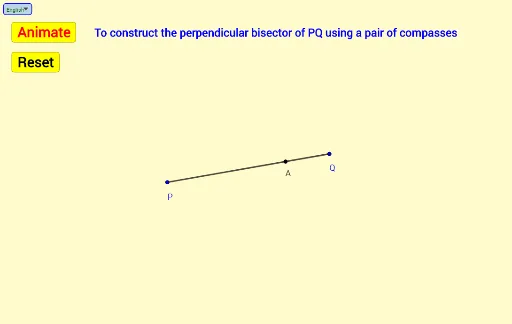
本范例演示如何使用圆规和直尺构造线段的垂直平分线。涉及的核心数学概念包括线段、圆、交点、距离和角度。作图要点包括使用 GeoGebra 命令如 Segment(线段)、Circle(圆)、Intersect(交点)、Point(点)、Distance(距离)、Angle(角度)、If(条件)、Rotate(旋转)、Arc(圆弧)等。适合初中及以上学段学习几何作图和基础几何概念的学生。
GeoGebra 命令及参数
Segment(P, Q) → fCircle(P, m) → cIntersect(c, f, 1) → RSegment(R, Q) → gPoint(g) → ADistance(P, A) → nCircle(P, n) → dCircle(Q, n) → eIntersect(d, e, 1) → BAngle(A, P, B) → αIf(0 ≤ t < 1, t, 1) → iRotate(A, a°, P) → A'Rotate(A', ((i * 40))°, P) → CArc(d, A', C) → kRotate(A, ((-a))°, P) → A'_1If(1 ≤ t < 2, t - 1, If[t < 1, 0, 1]) → hRotate(A'_1, ((-((h * 40))))°, P) → DArc(d, D, A'_1) → pIf(2 ≤ t < 3, t - 2, If[t < 2, 0, 1]) → jIf(3 ≤ t < 4, t - 3, If[t < 3, 0, 1]) → lIf(t ≥ 4, t - 4, 0) → oIntersect(e, f, 1) → SRotate(S, ((-a))°, Q) → S'Rotate(S, a°, Q) → S'_1Rotate(S', ((-((j * 40))))°, Q) → ERotate(S'_1, ((l * 40))°, Q) → FArc(e, E, S') → qArc(e, S'_1, F) → rIntersect(d, e, 2) → GIf(x(Q) > x(P), Vector[B, G], Vector[G, B]) → uIf(x(Q) > x(P), Translate[B, Vector[(o * u)]], Translate[G, Vector[(o * u)]]) → HIf(x(Q) > x(P), Segment[B, H], Segment[G, H]) → sSelectedIndex(Bahasa) → nnIf(nn ≟ 1, "Animate", "Animasi") → Tex1If(nn ≟ 1, "Stop", "Berhenti") → Tex2If(nn ≟ 1, "Resume", "Teruskan") → Tex3If(nn ≟ 1, "Center P radius PA", "Pusat P jejari PA") → text1If(nn ≟ 1, "Center Q radius PA", "Pusat Q jejari PA") → text2If(nn ≟ 1, "To construct the perpendicular bisector of PQ using a pair of compasses", "Membina pembahagi dua sama serenjang PQ dengan menggunakan jangka lukis") → text3
AI 绘图提示语参考
画一条线段,用圆规分别以线段两端为圆心,画两个相等的圆,找到两圆的交点,连接这两个交点和线段的中点,得到线段的垂直平分线。
以上提示语为根据原始绘图命令整理而来,仅供参考。