
城堡蒙特中心建筑与塔
几何画板及绘图内容加载中,请稍等……
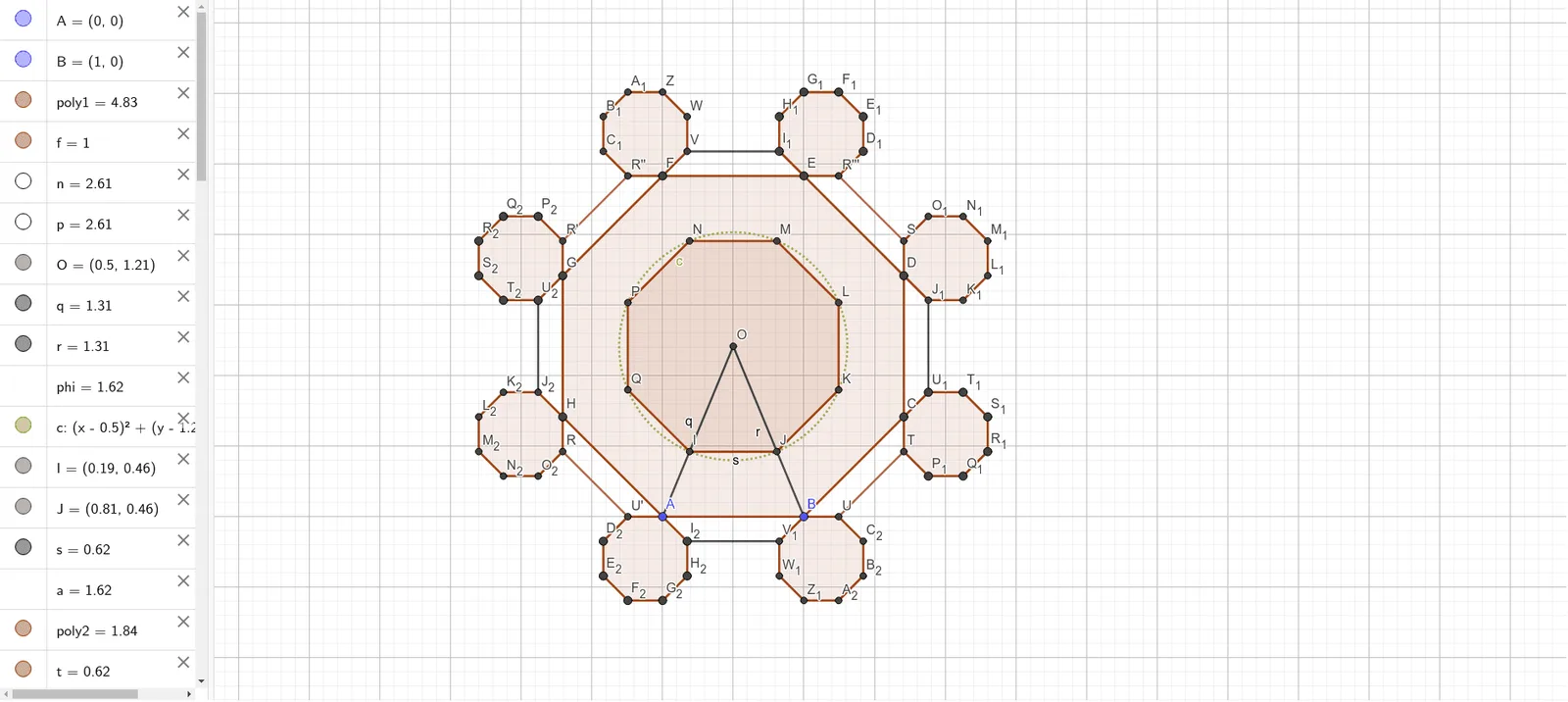
该范例展示了城堡蒙特中心建筑与塔的几何构造。涉及的核心数学概念包括多边形、等边三角形和几何作图。通过使用Polygon、Distance、Segment等GeoGebra命令,可以构造出精确的几何图形。适合初中及以上学生学习几何作图和立体几何。
GeoGebra 命令及参数
Polygon(A, B, 8) → poly1, f, D, E, F, G, H, g, h, i, j, k, l, m, CDistance(C, D) → CDSegment(F, B) → nSegment(E, A) → pIntersect(n, p) → OSegment(O, A) → qSegment(O, B) → rCircle(O, q / phi) → cIntersect(c, q) → I,Intersect(c, r) → J,Segment(I, J) → sPolygon(I, J, 8) → poly2, t, L, M, N, P, Q, b, d, e, f_1, g_1, h_1, i_1, KLine(O, f) → k_1OrthogonalLine(O, j) → l_1Line(I, J) → j_1Line(H, G) → m_1Intersect(j_1, m_1) → RMirror(R, k_1) → R'Line(N, M) → n_1Mirror(m_1, l_1) → p_1Intersect(n_1, p_1) → SIntersect(p_1, j_1) → TDistance(R, T) → RTDistance(T, S) → TSLine(R', k) → q_1Line(S, i) → r_1Line(T, g) → s_1Line(R, m) → t_1LineBisector(G, F) → a_1Mirror(R', a_1) → R''Mirror(R'', l_1) → R'''Mirror(R''', k_1) → UMirror(U, l_1) → U'Polygon(R'', R''', U, U') → q1, r'', r''', u, u'Segment(R', R'') → b_1Segment(R''', S) → c_1Segment(T, U) → d_1Segment(U', R) → e_1Polygon(R'', F, 8) → poly3, f_2, W, Z, A_1, B_1, C_1, g_2, h_2, i_2, j_2, k_2, l_2, m_2, VPolygon(E, R''', 8) → poly4, n_2, E_1, F_1, G_1, H_1, I_1, p_2, q_2, r_2, s_2, t_2, a_2, b_2, D_1Polygon(S, D, 8) → poly5, c_2, K_1, L_1, M_1, N_1, O_1, d_2, e_2, f_3, g_3, h_3, i_3, j_3, J_1Polygon(C, T, 8) → poly6, k_3, Q_1, R_1, S_1, T_1, U_1, l_3, m_3, n_3, p_3, q_3, r_3, s_3, P_1Polygon(U, B, 8) → poly7, t_3, W_1, Z_1, A_2, B_2, C_2, a_3, b_3, c_3, d_3, e_3, f_4, g_4, V_1Polygon(A, U', 8) → poly8, h_4, E_2, F_2, G_2, H_2, I_2, i_4, j_4, k_4, l_4, m_4, n_4, p_4, D_2Polygon(R, H, 8) → poly9, q_4, K_2, L_2, M_2, N_2, O_2, r_4, s_4, t_4, a_4, b_4, c_4, d_4, J_2Polygon(G, R', 8) → poly10, e_4, Q_2, R_2, S_2, T_2, U_2, f_5, g_5, h_5, i_5, j_5, k_5, l_5, P_2Segment(U_2, J_2) → m_5Segment(V, I_1) → n_5Segment(J_1, U_1) → p_5Segment(V_1, I_2) → q_5