
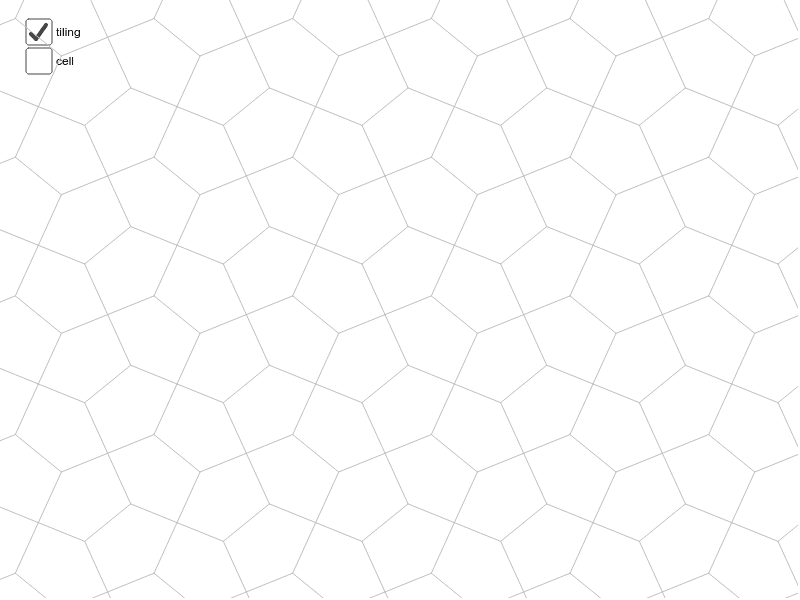
从pgg图案生成的cairo平铺
几何画板及绘图内容加载中,请稍等……
①本范例演示了如何利用pgg图案生成cairo平铺图案;②涉及的核心数学概念包括对称性、等腰三角形、线段、几何分布、阶梯函数等;③作图要点提炼自构造摘要,使用了Point, Midpoint, Segment, Vector, Mirror, Translate, Sequence, LineBisector等GeoGebra命令和对象;④适合高中及以上数学学习者,用于理解几何变换和平铺图案的生成原理。
GeoGebra 命令及参数
Point(xAxis) → BMidpoint(A, B) → EMidpoint(C, B) → IMidpoint(C, A) → HSegment(K, N) → hSegment(K, M) → gSegment(J, K) → eVector(C, I) → tVector(B, I) → wMidpoint(D, C) → GMidpoint(B, D) → FSegment(H, F) → bMirror(cell1, b) → cell3Translate(cell3, t) → cell3aSegment(E, G) → cMirror(cell1, c) → cell2Translate(cell2, w) → cell2aMirror(cell2, b) → cell4Vector(A, B) → uVector(A, C) → vVector(C, D) → w_1Vector(B, D) → aSequence(Translate[Sequence[Translate[tile, Vector[(n * u)]], n, -3, 3], Vector[(m * v)]], m, -3, 3) → tilingSegment(H, I) → rSegment(E, I) → sLineBisector(C, G) → kLineBisector(G, D) → lLineBisector(C, H) → mLineBisector(H, A) → n
AI 绘图提示语参考
绘制一个基于对称性的几何图案,包含多个不等边三角形和线段。首先确定一条水平线段,然后找到其中点并以此为基础构造多个三角形。利用向量和镜像操作生成对称单元,再通过平移这些单元形成周期性图案。最后,添加一些角平分线来强调几何结构,整个图案应展现出清晰的对称性和分形特征。
以上提示语为根据原始绘图命令整理而来,仅供参考。