
矩形、三角形、梯形、圆形、扇形面积计算与无限问题
几何画板及绘图内容加载中,请稍等……
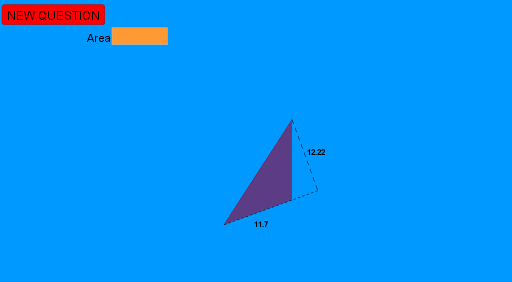
①本范例演示了如何使用 GeoGebra 计算并可视化矩形、三角形、梯形、圆形和扇形的面积,并探讨无限问题。②涉及核心数学概念包括面积公式、几何作图、随机变量和三角函数。③作图要点:使用了 Random, Segment, Line, OrthogonalLine, Intersect, Circle, Point, Midpoint, Polygon, PointIn, Textfield, Cell, Distance, Vector, Rotate, CircleArc, Angle 等命令和对象。④适合高中及以上数学学习者,用于几何计算和概念理解。
GeoGebra 命令及参数
Random(14, 22) → lRandom(0, 20) → eRandom(-2, 8) → dRandom(8, 13) → cRandom(0, 5) → bRandom(0, 5) → aSegment(A, B) → fLine(D, f) → pOrthogonalLine(B, p) → sIntersect(p, s) → GOrthogonalLine(A, p) → rIntersect(p, r) → ECircle(E, G) → qPoint(q) → secpoint1Midpoint(A, B) → CPolygon(A, D, B) → poly1, b_1, a_1, d_1OrthogonalLine(D, f) → gLine(A, B) → hOrthogonalLine(D, h) → iIntersect(h, i) → FSegment(D, F) → jSegment(A, F) → kPointIn(poly1) → Pointpoly1Textfield(area) → InputBox1Random(1, 14) → A16Cell(2, A16) → B16Polygon(A, E, G, B) → poly2, a_2, e_1, g_1, b_2PointIn(poly2) → Pointpoly2_1PointIn(poly2) → Pointpoly2Textfield(v) → InputBox2Distance(E, G) → wVector(E, G) → u_1PointIn(q) → PointqSegment(secpoint1, E) → leg1Rotate(secpoint1, randomangle, E) → secpoint2Segment(secpoint2, E) → leg2CircleArc(E, secpoint1, secpoint2) → sectorarcAngle(secpoint1, E, secpoint2) → sectoranglelabelSegment(TrapA, TrapB) → TrapbaseSegment(TrapC, TrapB) → TraprightLine(TrapC, Trapbase) → TraptopparallelSegment(TrapD, TrapA) → TrapleftSegment(TrapD, TrapC) → traptopMidpoint(TrapA, TrapB) → trapbasemidpointDistance(trapbasemidpoint, traptop) → distancetrapbasemidpointtraptopOrthogonalLine(trapbasemidpoint, Trapbase) → i_1Intersect(traptop, i_1) → traptopmidpointSegment(traptopmidpoint, trapbasemidpoint) → trapperpendicularheightlinePolygon(TrapA, TrapB, TrapC, TrapD) → poly3, trapa, trapb, trapc, trapdLine(G, E) → j_1Intersect(q, j_1) → H, ISegment(I, G) → diameter