
斜锥曲线(带标注)
几何画板及绘图内容加载中,请稍等……
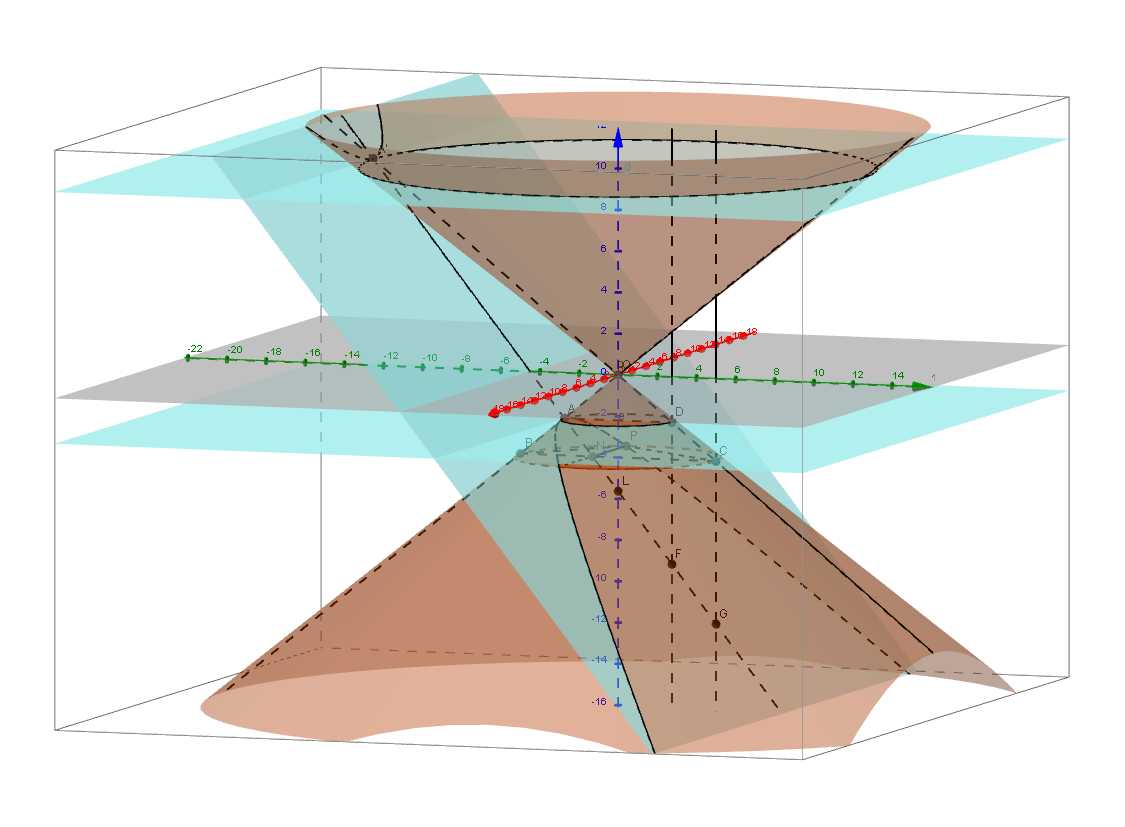
这是一个带有标注的斜锥曲线示例,展示了锐角圆锥的截面。它涉及圆锥截线的概念,使用了GeoGebra中的多个命令,如Intersect、Plane、Cone等。适合高中数学教学和学习。
GeoGebra 命令及参数
Intersect(zAxis, a) → KPlane(K, yAxis) → iIntersect(zAxis, xOyPlane) → OCone(K, O, 5) → f, botcirc, hIntersect(i, botcirc) → B, CAngle(B, O, C) → αConeInfinite(O, zAxis, α / 2) → cLine(O, B) → jIntersect(k, j) → AOrthogonalPlane(A, j) → cutplaneIntersectPath(d, c) → topcircIntersect(j, topcirc) → C2,IntersectPath(cutplane, c) → hyperb2IntersectPath(cutplane, f) → hyperb1Line(O, C) → lIntersect(l, topcirc) → B2,Intersect(l, hyperb1) → A',Intersect(cutplane, topcirc) → T2, S2Intersect(cutplane, botcirc) → S, PAngle(A', O, C2) → βMidpoint(S, P) → NAngle(O, A, N) → γMidpoint(S2, T2) → G2Line(A, A') → axisSegment(N, P) → mSegment(B, C) → qSegment(B, P) → rSegment(P, C) → sIntersectPath(k, c) → pIntersect(l, p) → D,Intersect(zAxis, axis) → LSegment(D, A) → eOrthogonalLine(D, e, x + 0z = 0) → gOrthogonalLine(C, q, x + 0z = 0) → nIntersect(g, axis) → FIntersect(n, axis) → G
AI 绘图提示语参考
绘制一个斜圆锥被平面截取的图形,包括圆锥、底圆、截面、顶点、底圆心、截线、双曲线等。首先建立坐标系,画出圆锥,然后画出底圆和截面,接着找到截线与底圆的交点,构造双曲线,最后连接相关点和线段,形成完整的截面图形。
以上提示语为根据原始绘图命令整理而来,仅供参考。