
加法与减法练习:通过GeoGebra进行图形化计算
几何画板及绘图内容加载中,请稍等……
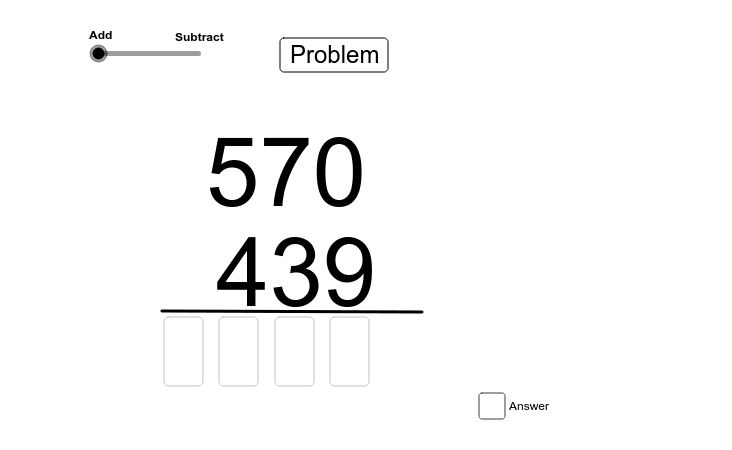
本范例通过GeoGebra演示加法与减法的基本运算。核心数学概念包括数轴上的点表示、长度计算以及符号转换。作图要点涉及使用Random生成随机数、If判断条件、Length测量距离以及Text标注结果。适合初中生用于巩固基础运算技能,或作为数学练习的辅助工具。
GeoGebra 命令及参数
Random(100, 999) → temp2Random(100, 999) → temp1If(temp1 > temp2, temp1, temp2) → addend1If(temp1 < temp2, temp1, temp2) → addend2Length(Text[addend1]) → L1Length(Text[addend2]) → L2Text(Text[addend2], (m, n)) → text3Text(Text[addend1], (p, q)) → text2Textfield(A1) → inputBox1Textfield(A2) → inputBox2Textfield(A3) → inputBox3Textfield(A4) → inputBox4Textfield(A5) → inputBox5Textfield(A6) → inputBox6Textfield(A6) → inputBox7Textfield(A7) → inputBox8If(t > 1.5, answer, answer2) → uText(u) → text4Segment(A, B) → a_1
AI 绘图提示语参考
画一个数轴,上面有两个随机生成的数,较大的数作为加数1,较小的数作为加数2。在数轴上分别标记这两个数,并在旁边输入框中输入它们的和。
以上提示语为根据原始绘图命令整理而来,仅供参考。