
Activity 12: Introduction to Dilations
几何画板及绘图内容加载中,请稍等……
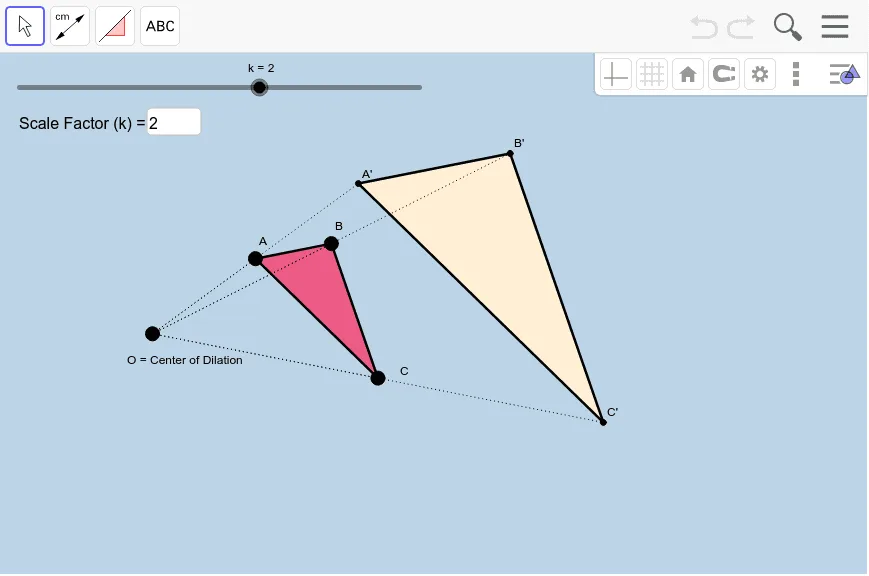
① This interactive GeoGebra applet demonstrates the geometric transformation of dilation (also known as homothety) by allowing users to adjust a scale factor and observe how a triangle and its sides are enlarged or reduced relative to a fixed center point. ② Core mathematical concepts include the definition of dilation, the center of dilation, the scale factor (k), the property that corresponding points and the center are collinear, and the similarity between the original and image figures. ③ Construction details: based on the summary, the applet uses Polygon to create the original triangle, Segment for sides, Textfield and InputBox for entering the scale factor, Dilate command to generate the transformed triangle and its sides, along with multiple auxiliary points (A', B', C', etc.) and segments (d, e, f) to label correspondences, and likely a slider (k) for dynamic control. ④ Suitable for middle or high school geometry classes as an introduction to geometric transformations, useful for teacher demonstrations or student self-exploration of dilation properties.
GeoGebra 命令及参数
Polygon(A, B, C) → poly1, c, a, bSegment(A, B) → dSegment(B, C) → eSegment(C, A) → fTextfield(k) → InputBox1Dilate(A, k, O) → A'Dilate(B, k, O) → B'Dilate(C, k, O) → C'Polygon(A', B', C') → poly1', c', a', b'Dilate(A, k, O) → A'_1Dilate(B, k, O) → B'_1Segment(A'_1, B'_1) → d'Dilate(B, k, O) → B'_2Dilate(C, k, O) → C'_1Segment(B'_2, C'_1) → e'Dilate(C, k, O) → C'_2Dilate(A, k, O) → A'_2Segment(C'_2, A'_2) → f'Segment(O, A') → gSegment(O, A) → hSegment(O, B) → iSegment(O, B') → jSegment(O, C') → lSegment(O, C) → m