
Write the Equation of a Line Given a Graph (y-intercept is an integer)
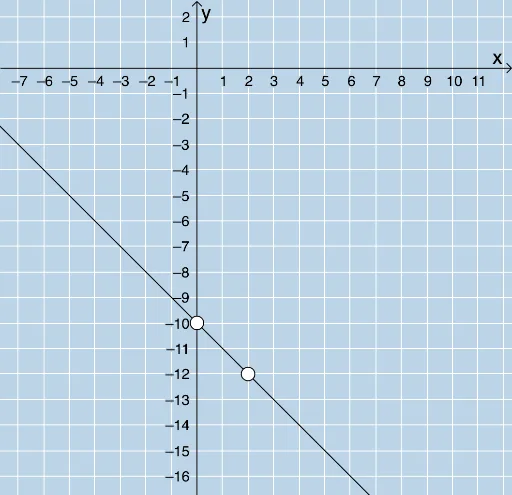
Loading the math board and drawing, please wait…
This example demonstrates how to write the equation of a line given a graph, where the y-intercept is an integer. It involves core mathematical concepts such as linear equations and coordinate geometry. Randomly generated problems allow students to practice identifying the slope and y-intercept from the graph and inputting the equation. The example uses commands like RandomElement, Random, Line, FractionText, Intersect, Segment, Polygon, and Textfield in GeoGebra. Suitable for middle school and above students for learning and practicing linear equations.
GeoGebra Commands & Parameters
RandomElement(klist) → krandRandom(-10, 10) → bRandomElement(xmovelist) → randxRandomElement(ymovelist) → randyLine(A, B) → fFractionText(Slope[f]) → text1Intersect(h, i) → CSegment(A, C) → jSegment(C, B) → kPolygon(A, C, B) → poly1, b_1, a_1, c_1Textfield(l) → InputBox1
AI Drawing Prompt Reference
Draw a line with an integer y-intercept. First, randomly generate an integer b as the y-intercept, then create a point A as the starting point of the line. Use the slope and y-intercept to draw the line f. Find the intersection point C of line f and the x-axis, and draw line segments j and k using points A and C, and C and B, respectively. Finally, form a triangle with points A, C, and B.
The prompt above was compiled from the original drawing commands and is for reference only.