
Working with Sequences
Loading the math board and drawing, please wait…
In collections
Learn GeoGebra Classic
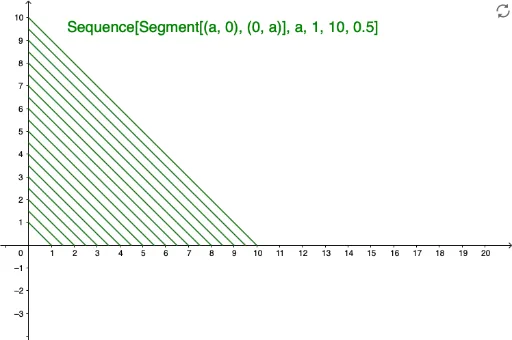
This example demonstrates how to work with sequences in GeoGebra. It covers key mathematical concepts such as sequence generation and manipulation. Using the Sequence command, users can create and modify sequences. Suitable for middle school and above students or teachers.
GeoGebra Commands & Parameters
Sequence(Segment[(a, 0), (0, a)], a, 1, 10, 0.5) → list1
AI Drawing Prompt Reference
Draw a sequence of 10 line segments where each segment starts on the positive x-axis and ends on the negative y-axis, with lengths increasing from 1 to 10 and each subsequent segment separated by 0.5 units, illustrating the generation and manipulation of a sequence.
The prompt above was compiled from the original drawing commands and is for reference only.