
What are Equivalent Fractions?
Loading the math board and drawing, please wait…
In collections
Erstes Rechnen mit Brüchen - Addieren
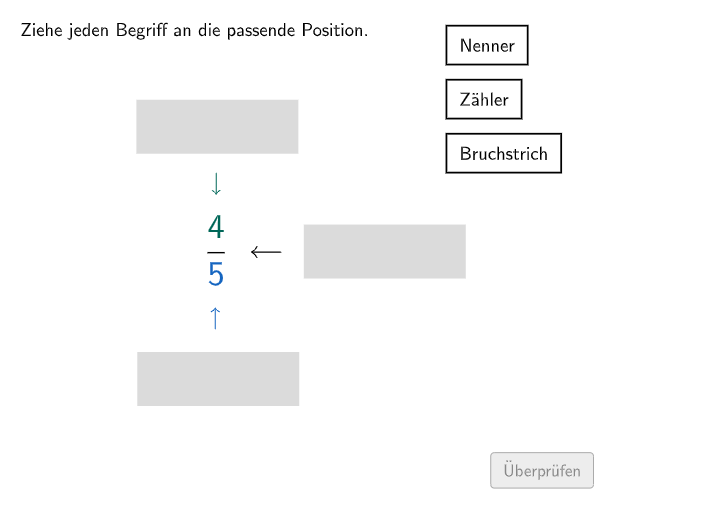
This example illustrates the concept of equivalent fractions. Key mathematical concepts include the properties of fractions. Construction highlights the use of GeoGebra commands such as Midpoint, Polygon, and Textfield. Suitable for 5th to 6th grade students learning to add fractions.
GeoGebra Commands & Parameters
Midpoint(Corner[Text39, 1], Corner[Text39, 3]) → M1Polygon(I, J, K, L) → v3, i, j, k, lPolygon(M_{2}, N_{2}, O_{2}, P_{2}) → rectN, m_{2}, n_{2}, o_{2}, p_{2}Polygon(M_{1}, N_{1}, O_{1}, P_{1}) → rectB, m_{1}, n_{1}, o_{1}, p_{1}Polygon(M, N, O, P) → rectZ, m, n, o, pMidpoint(Corner[textBruchstrich, 1], Corner[textBruchstrich, 3]) → MPBruchstrichMidpoint(Corner[textNenner, 1], Corner[textNenner, 3]) → MPNennerMidpoint(Corner[textZähler, 1], Corner[textZähler, 3]) → MPZählerTextfield(textTest) → InputBox1Textfield(textTest2) → InputBox2Textfield(textTest3) → InputBox3Polygon(PtopLeftCornerFeedback, PtopRightCornerFeedback, PbottomRightCornerFeedback, PbottomLeftCornerFeedback) → rectangleCorrect, ptopleftcornerfeedback, ptoprightcornerfeedback, pbottomrightcornerfeedback, pbottomleftcornerfeedbackShuffle(Sequence[Random[0, 10], i, 1, 100]) → randomNosForX, {4, 5, 10, 0, 0, 9, 9, 4, 7, 10, 8, 4, 3, 8, 8, 8, 6, 7, 10, 2, 1, 8, 4, 0, 0, 5, 2, 9, 8, 10, 4, 1, 1, 5, 9, 8, 2, 3, 3, 7, 4, 9, 3, 5, 6, 0, 4, 5, 4, 9, 7, 8, 8, 8, 0, 8, 7, 7, 2, 5, 10, 3, 7, 2, 9, 4, 5, 1, 0, 4, 5, 6, 9, 1, 4, 0, 3, 8, 9, 2, 9, 5, 0, 5, 10, 6, 10, 4, 3, 5, 4, 10, 1, 1, 2, 3, 6, 7, 1, 10}Element(randomNosForX, Mod[questionCount, 100] + 1) → numXShuffle(Sequence[Random[0, 10], i, 1, 100]) → randomNosForY, {1, 3, 6, 5, 6, 4, 2, 9, 7, 6, 5, 9, 3, 0, 3, 7, 6, 9, 4, 4, 5, 8, 6, 2, 6, 2, 8, 1, 9, 3, 10, 9, 7, 0, 5, 6, 8, 5, 4, 2, 7, 1, 5, 4, 10, 2, 2, 5, 3, 0, 7, 5, 1, 8, 10, 8, 5, 4, 3, 0, 9, 6, 8, 4, 1, 8, 2, 3, 6, 9, 2, 3, 7, 9, 8, 1, 10, 7, 8, 7, 3, 9, 7, 2, 1, 10, 10, 7, 1, 7, 6, 1, 10, 9, 5, 3, 5, 10, 5, 8}Element(randomNosForY, Mod[questionCount, 100] + 1) → numYAppend(true, Sequence[If[randomNosForX(i) ≟ randomNosForX(i - 1), false, true], i, 2, 100]) → stayXAppend(true, Sequence[If[randomNosForY(i) ≟ randomNosForY(i - 1), false, true], i, 2, 100]) → stayYRemove(Sequence[If[stayX(i), randomNosForX(i), 0], i, 1, 100], Sequence[0, i, 1, 100]) → randomNosForXwithoutRepeatRemove(Sequence[If[stayY(i), randomNosForY(i), 0], i, 1, 100], Sequence[0, i, 1, 100]) → randomNosForYwithoutRepeatElement(randomNosForXwithoutRepeat, Mod[questionCount, Length[randomNosForXwithoutRepeat]] + 1) → numXwithoutRepeatElement(randomNosForYwithoutRepeat, Mod[questionCount, Length[randomNosForYwithoutRepeat]] + 1) → numYwithoutRepeatTextfield(input1) → Eingabefeld1Textfield(input2) → Eingabefeld2Textfield(input3) → Eingabefeld3Textfield(input4) → Eingabefeld4Textfield(input5) → Eingabefeld5Textfield(input6) → Eingabefeld6Textfield(input7) → Eingabefeld7Textfield(input8) → Eingabefeld8Textfield(input9) → Eingabefeld9Textfield(input10) → Eingabefeld10Textfield(input11) → Eingabefeld11Textfield(input12) → Eingabefeld12Polygon(A, B, C, D) → v1, a, b, c, dPolygon(E, F, G, H) → v2, e, f, g, hMidpoint(Corner[erlaubteZeichen, 1], Corner[erlaubteZeichen, 3]) → MP_{erlaubteZeichen}Midpoint(Corner[textTest, 1], Corner[textTest, 3]) → MP_{textTest}Midpoint(Corner[textTest2, 1], Corner[textTest2, 3]) → MP_{textTest2}Midpoint(Corner[textTest3, 1], Corner[textTest3, 3]) → MP_{textTest3}Midpoint(Corner[textCountCorrect, 1], Corner[textCountCorrect, 3]) → MP_{textCountCorrect}Midpoint(Corner[hintText, 1], Corner[hintText, 3]) → MP_{hintText}Midpoint(Corner[questionText, 1], Corner[questionText, 3]) → MP_{questionText}Midpoint(Corner[inactiveButtonBackgroundColor, 1], Corner[inactiveButtonBackgroundColor, 3]) → MP_{inactiveButtonBackgroundColor}Midpoint(Corner[answerText, 1], Corner[answerText, 3]) → MP_{answerText}Midpoint(Corner[solutionText, 1], Corner[solutionText, 3]) → MP_{solutionText}Midpoint(Corner[text1, 1], Corner[text1, 3]) → MP_{text1}Midpoint(Corner[text2, 1], Corner[text2, 3]) → MP_{text2}Midpoint(Corner[altText, 1], Corner[altText, 3]) → MP_{altText}Midpoint(Corner[hintTypicalError, 1], Corner[hintTypicalError, 3]) → MP_{hintTypicalError}Midpoint(Corner[correctText, 1], Corner[correctText, 3]) → MP_{correctText}Midpoint(Corner[Text1, 1], Corner[Text1, 3]) → MP_{Text1}Midpoint(Corner[Text2, 1], Corner[Text2, 3]) → MP_{Text2}Midpoint(Corner[Text3, 1], Corner[Text3, 3]) → MP_{Text3}Midpoint(Corner[Text4, 1], Corner[Text4, 3]) → MP_{Text4}Midpoint(Corner[Text5, 1], Corner[Text5, 3]) → MP_{Text5}Midpoint(Corner[Text6, 1], Corner[Text6, 3]) → MP_{Text6}Midpoint(Corner[Text7, 1], Corner[Text7, 3]) → MP_{Text7}Midpoint(Corner[Text8, 1], Corner[Text8, 3]) → MP_{Text8}Midpoint(Corner[Text9, 1], Corner[Text9, 3]) → MP_{Text9}Midpoint(Corner[Text10, 1], Corner[Text10, 3]) → MP_{Text10}Midpoint(Corner[Text11, 1], Corner[Text11, 3]) → MP_{Text11}Midpoint(Corner[Text12, 1], Corner[Text12, 3]) → MP_{Text12}Midpoint(Corner[Text13, 1], Corner[Text13, 3]) → MP_{Text13}Midpoint(Corner[Text14, 1], Corner[Text14, 3]) → MP_{Text14}Midpoint(Corner[Text15, 1], Corner[Text15, 3]) → MP_{Text15}Midpoint(Corner[Text16, 1], Corner[Text16, 3]) → MP_{Text16}Midpoint(Corner[Text17, 1], Corner[Text17, 3]) → MP_{Text17}Midpoint(Corner[Text18, 1], Corner[Text18, 3]) → MP_{Text18}Midpoint(Corner[Text19, 1], Corner[Text19, 3]) → MP_{Text19}Midpoint(Corner[Text21, 1], Corner[Text21, 3]) → MP_{Text21}Midpoint(Corner[Text22, 1], Corner[Text22, 3]) → MP_{Text22}Midpoint(Corner[Text23, 1], Corner[Text23, 3]) → MP_{Text23}Midpoint(Corner[Text24, 1], Corner[Text24, 3]) → MP_{Text24}Midpoint(Corner[Text25, 1], Corner[Text25, 3]) → MP_{Text25}Midpoint(Corner[Text26, 1], Corner[Text26, 3]) → MP_{Text26}Midpoint(Corner[Text27, 1], Corner[Text27, 3]) → MP_{Text27}Midpoint(Corner[Text28, 1], Corner[Text28, 3]) → M2Midpoint(Corner[Text29, 1], Corner[Text29, 3]) → M3Midpoint(Corner[Text30, 1], Corner[Text30, 3]) → M7Midpoint(Corner[Text31, 1], Corner[Text31, 3]) → M4Midpoint(Corner[Text32, 1], Corner[Text32, 3]) → M8Midpoint(Corner[Text33, 1], Corner[Text33, 3]) → M11Midpoint(Corner[Text34, 1], Corner[Text34, 3]) → M5Midpoint(Corner[Text35, 1], Corner[Text35, 3]) → M6Midpoint(Corner[Text36, 1], Corner[Text36, 3]) → M10Midpoint(Corner[Text37, 1], Corner[Text37, 3]) → M9Midpoint(Corner[Text38, 1], Corner[Text38, 3]) → M12Corner(textNenner, 1) → QCorner(textZähler, 1) → RCorner(textBruchstrich, 1) → SIntersect(a, d) → TIntersect(j, k) → VPolygon(T, U, V, W) → vGes, t, u, v, wPolygon(B_1, E_1, D_1, C_1) → v4, b_1, e_1, d_1, c_1If(MPNenner ∈ rectN ∨ MPNenner ∈ rectB ∨ MPNenner ∈ rectZ, Append[MPNenner, listFirstBoxes]) → l1If(MPZähler ∈ rectN ∨ MPZähler ∈ rectB ∨ MPZähler ∈ rectZ, Append[MPZähler, l1]) → l2If(MPBruchstrich ∈ rectN ∨ MPBruchstrich ∈ rectB ∨ MPBruchstrich ∈ rectZ, Append[MPBruchstrich, l2]) → appendedCountIf(x ≠ 0, appended) → append
AI Drawing Prompt Reference
Draw two identical rectangles, each divided into four parts by dashed lines to represent the numerator and denominator of a fraction. Below the rectangles, draw a long bar with midpoints connecting its ends, and label the value of the fraction at the midpoint. Use color and shape variations to illustrate the equivalence of different fractions, suitable for explaining the basic properties of fractions and the concept of equivalent fractions.
The prompt above was compiled from the original drawing commands and is for reference only.