
Wallpaper p4 Symmetry Pattern
Loading the math board and drawing, please wait…
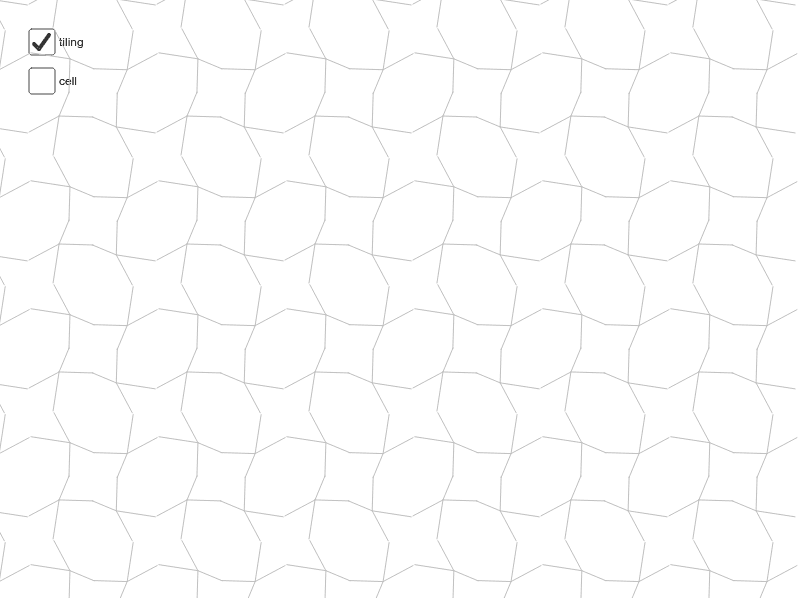
This example demonstrates the generation process of wallpaper p4 symmetry pattern. Core mathematical concepts include symmetry and transformation. Using GeoGebra commands such as Midpoint, Vector, Segment, Rotate, and Sequence, complex symmetry patterns can be constructed. Suitable for high school mathematics education and learning symmetry transformations.
GeoGebra Commands & Parameters
Midpoint(A, B) → EMidpoint(B, D) → FMidpoint(D, C) → GMidpoint(C, A) → HMidpoint(C, B) → IVector(A, B) → uVector(A, C) → vVector(C, D) → wVector(B, D) → aSegment(H, F) → bSegment(E, G) → cSegment(J, K) → eSegment(K, L) → fSegment(K, M) → gSegment(K, N) → hRotate(cell1, 90*°, I) → cell2Rotate(cell1, 180*°, I) → cell3Rotate(cell1, 270*°, I) → cell4Sequence(Translate[Sequence[Translate[tile, Vector[(n * u)]], n, -3, 3], Vector[(m * v)]], m, -3, 3) → tilingSegment(H, I) → kSegment(E, I) → l
AI Drawing Prompt Reference
Create a p4 symmetry wallpaper pattern by first finding the midpoints E, F, G, H of quadrilateral ABCD, then constructing vectors u, v, w, a, drawing line segments b, c, k, l, rotating these segments 90°, 180°, 270° around point I, and finally using point I and vectors u, v to generate the translation sequence of the entire pattern.
The prompt above was compiled from the original drawing commands and is for reference only.