
Walking Instructions (Hard)
Loading the math board and drawing, please wait…
In collections
Algebra 1|3: Linear Equations
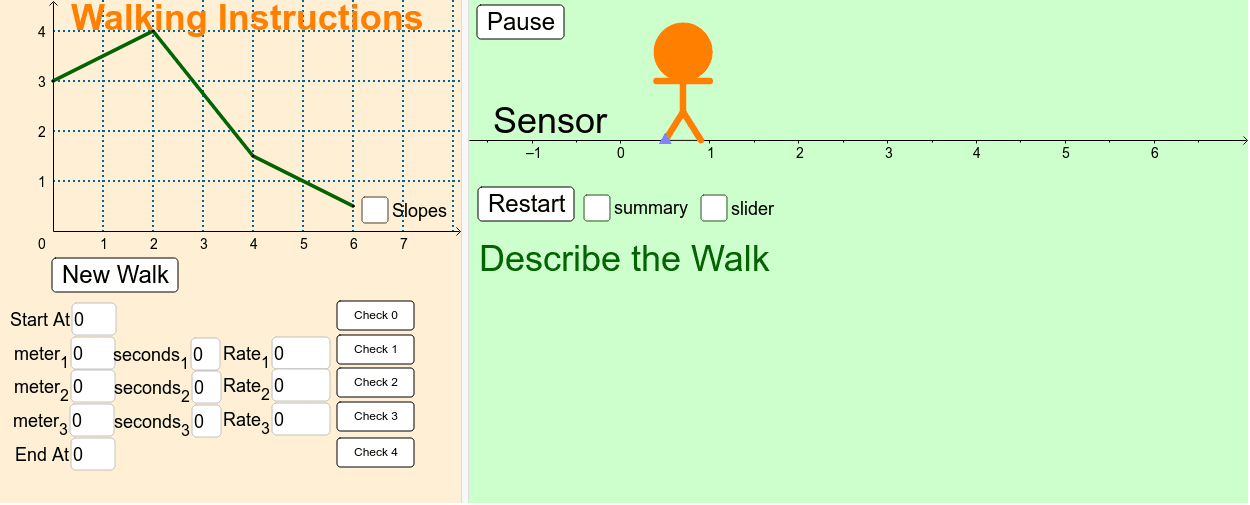
This example demonstrates complex walking paths involving binomial distribution, trigonometry, and linear functions. Using commands like Slope, Segment, Textfield, Line, Point, etc., it shows how to construct geometric figures in GeoGebra. Suitable for high school math education and learning.
GeoGebra Commands & Parameters
Slope(Line[C, D]) → cSlope(Line[B, C]) → bSlope(Line[A, B]) → aSegment(A, B) → dSegment(B, C) → eSegment(C, D) → fTextfield(Rate_1) → InputBox3Textfield(Rate_2) → InputBox6Textfield(Rate_3) → InputBox9Line(A, B) → lLine(B, C) → nLine(C, D) → qTextfield(meter1') → InputBox1Textfield(meter2') → InputBox2Textfield(meter3') → InputBox4Textfield(seconds1') → InputBox5Textfield(seconds2') → InputBox7Textfield(meter3') → InputBox8Point(Circle[L, 0.4]) → ESegment(L, E) → gLineBisector(g) → hPoint(h) → FPoint(h) → GPoint(h) → HCircle(H, G) → kSegment(G, F) → mSegment(L, F) → pSegment(E, F) → sPoint(Circle[G, 0.3]) → ISegment(G, I) → iMirror(I, h) → I'Segment(G, I') → jTextfield(seconds3') → InputBox10Textfield(StartValue) → InputBox11Textfield(StopValue) → InputBox12
AI Drawing Prompt Reference
Draw a complex walking path with four points A, B, C, and D, connecting them with segments AB, BC, and CD. Use trigonometric and linear functions to draw a line through point C with the same slope as line BC, and another line through point B with the opposite slope of line BC. Draw a circle at point C, connect it with point E, and draw the perpendicular bisector of line segment EF. Then, draw points F, G, and H on the bisector, and draw a circle with point G as the center. Connect point G with point I on the circle, mirror point I to get point I', and draw a line segment from G to I'. Finally, label the time and distance parameters.
The prompt above was compiled from the original drawing commands and is for reference only.