
Volume of X-Section Isosceles Rt.Triangle
Loading the math board and drawing, please wait…
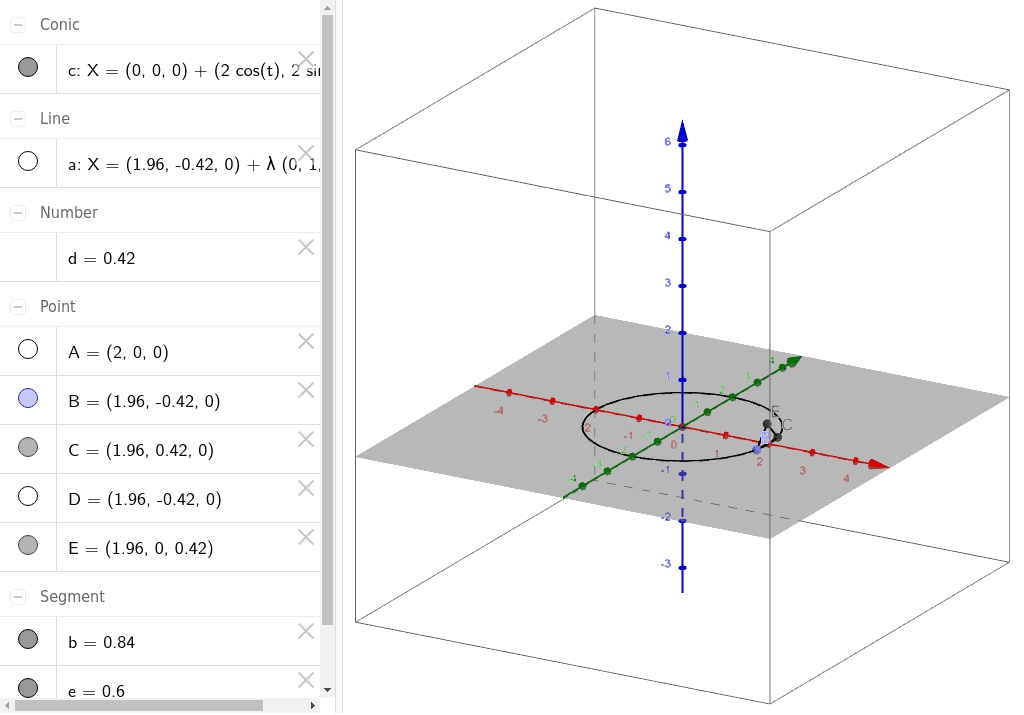
This example demonstrates the calculation of the volume of an isosceles right triangle section in three-dimensional space. The key mathematical concepts include volume computation in solid geometry, the combination of cone and cylinder volumes, and geometric transformations. The construction involves using GeoGebra commands such as Circle, Point, Line, Intersect, and Segment to create the triangle cross-section, determine the intersection lines of the cone and cylinder, and observe volume changes through 3D views. This is suitable for high school students or college freshmen learning solid geometry, calculus fundamentals, and the application of geometric transformations in volume calculations.
GeoGebra Commands & Parameters
Circle(zAxis, A) → cPoint(c) → BLine(B, yAxis) → aIntersect(a, c) → C, DSegment(B, C) → bSegment(E, B) → eSegment(E, C) → f
AI Drawing Prompt Reference
Draw a cross-section of an isosceles right triangle in 3D space to demonstrate volume calculation. Start by creating a circle, then find a point on the circle, draw a line perpendicular to the z-axis through this point, and find the intersection points with the circle. Connect the intersection points to form the triangle. Next, draw line segments from the intersection points to the y-axis and to each other, observing the geometric transformations and their effect on volume.
The prompt above was compiled from the original drawing commands and is for reference only.