
Volume of Revolution using Disks
Loading the math board and drawing, please wait…
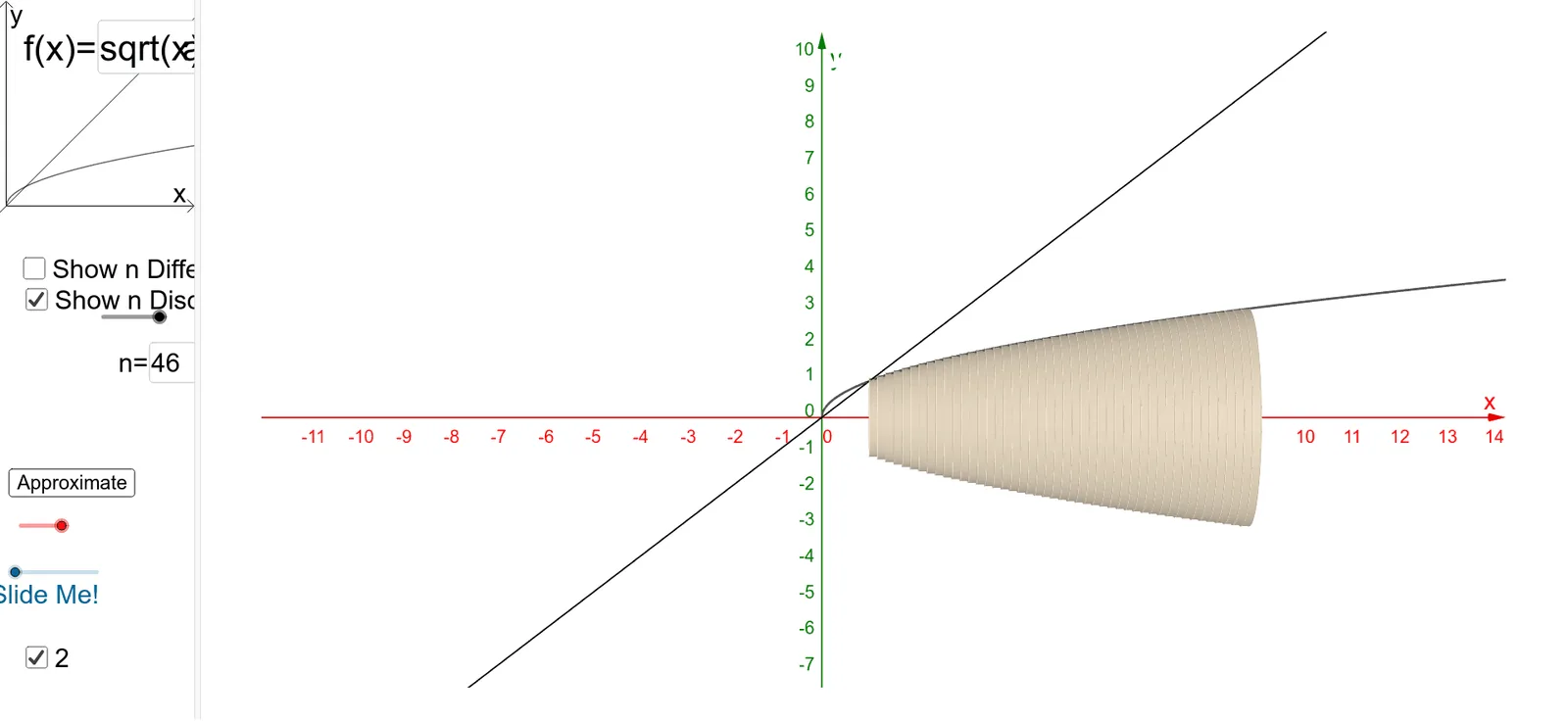
This example demonstrates the calculation of the volume of a solid of revolution using the disk method. It involves core mathematical concepts such as integration, trigonometric functions, polynomial functions, and arithmetic operations. The construction utilizes GeoGebra commands and objects like Sequence, Rotate, Circle, Surface, Textfield, and Integral. Suitable for high school students and calculus instruction.
GeoGebra Commands & Parameters
Sequence(Polygon[(a + (i * deltax), 0), (a + ((i + 1) * deltax), 0), (a + ((i + 1) * deltax), f(a + ((i + 1) * deltax))), (a + (i * deltax), f(a + ((i + 1) * deltax)))], i, 0, n - 1, 1) → list1Rotate(list1, α, y = 0) → list1'Sequence((a + (i * deltax), 0), i, 0, n, 1) → list2Sequence((a + (i * deltax), f(a + (i * deltax))), i, 1, n, 1) → list3Rotate(list3, α, y = 0) → list3'Sequence((a + (i * deltax), f(a + ((i + 1) * deltax))), i, 0, n - 1, 1) → list4Sequence(x = a + (i * deltax), i, 1, n, 1) → list6Sequence(Segment[Element[list3, i], Element[list4, i]], i, 0, n, 1) → list5Sequence(CircleSector[Element[list2, i + 1], Element[list3', i], Element[list3, i], xOyPlane], i, 1, n, 1) → list7Sequence(Cylinder[Element[list2, i], Element[list2, i + 1], f(Element[list2, i + 1])], i, 1, n, 1) → list8Sequence(Circle[Element[list2, i], f(Element[list2, i]), x = 0], i, 2, n + 1, 1) → list10Circle((a, 0), f(a + deltax), x = 0) → pSurface(q, α, xAxis) → eTextfield(f) → InputBox1Textfield(a) → InputBox2Textfield(b) → InputBox3Integral(f, a, b) → m_1Textfield(n) → InputBox4
AI Drawing Prompt Reference
Illustrate the calculation of the volume of a solid of revolution using the disk method, showing the function graph, dividing it into small rectangles, rotating each to form disks, and stacking them to create the solid. Include the integral for the total volume and label key parameters like the function, integral bounds, and number of segments.
The prompt above was compiled from the original drawing commands and is for reference only.