
Volume of Revolution - Disc Method
Loading the math board and drawing, please wait…
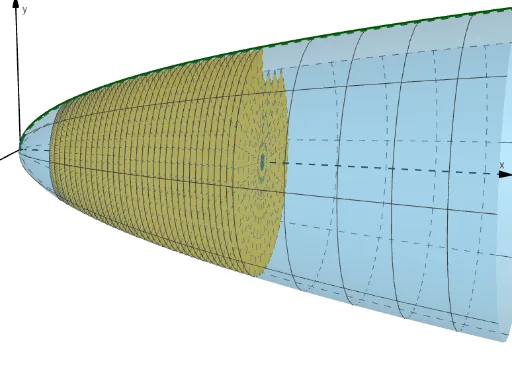
This example demonstrates the calculation of the volume of a solid of revolution formed by rotating a function around the x-axis using the disc method. Key mathematical concepts include integration, the disc method from calculus, and function graph rotation. The construction utilizes GeoGebra commands such as Sequence for generating discs and Surface for plotting the rotated solid, involving objects like f(function), n(number of discs), a, b(integration bounds), θ(rotation angle), Discs, and c(constant). Suitable for high school and above students learning calculus and geometric volume calculations, or for educational demonstrations.
GeoGebra Commands & Parameters
Sequence(Surface[CurveCartesian[a + p / n, t, t, 0, f(a + p / n)], θ, xAxis], p, 0, ((b - a) * n)) → DiscsSurface(f, θ, xAxis) → c
AI Drawing Prompt Reference
Visualize a solid of revolution formed by rotating a function around the x-axis, demonstrating the disc method for volume calculation. Generate multiple discs along the x-axis based on the function's value and integration bounds, rotate them to create a 3D surface representing the solid, illustrating the concepts of integration and disc method in geometry.
The prompt above was compiled from the original drawing commands and is for reference only.