
Volume of Revolution by Belinda Elliott
Loading the math board and drawing, please wait…
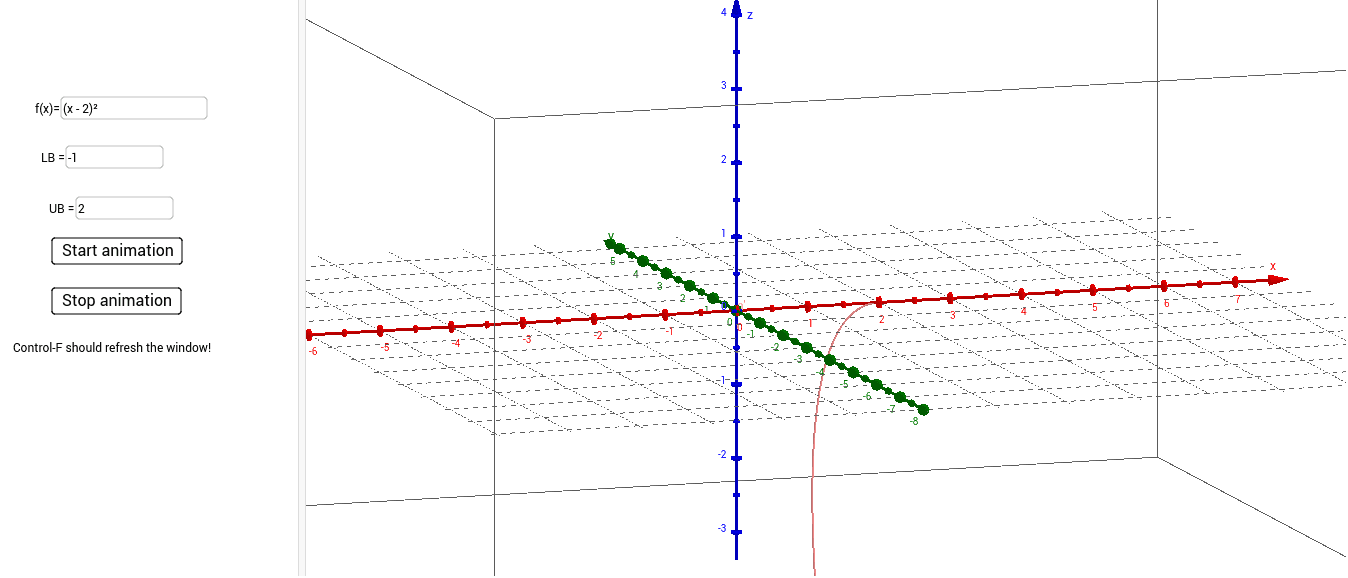
This example demonstrates the calculation of the volume of a solid of revolution. Key mathematical concepts include the volume formula for solids of revolution and integration. Using GeoGebra commands such as CurveCartesian, Rotate, and Textfield, the example constructs a solid of revolution and calculates its volume. Suitable for high school mathematics education and learning.
GeoGebra Commands & Parameters
CurveCartesian(n, f(n), 0, n, LowerBound, UpperBound) → aRotate(a, (n * 2), xAxis) → a'Textfield(f) → inputBox1CurveCartesian(t, f(t), t, LowerBound, UpperBound) → bTextfield(LowerBound) → inputBox2Textfield(UpperBound) → inputBox3
AI Drawing Prompt Reference
Draw a demonstration of calculating the volume of a solid of revolution, showing how to use integration. Start by plotting a curve, then rotate it around the x-axis to form a solid of revolution. Label the function expression of the curve, and indicate the lower and upper limits of the integral with text boxes displaying these parameters.
The prompt above was compiled from the original drawing commands and is for reference only.