
Volume of a Solid of Revolution by Jesus Perez (2)
Loading the math board and drawing, please wait…
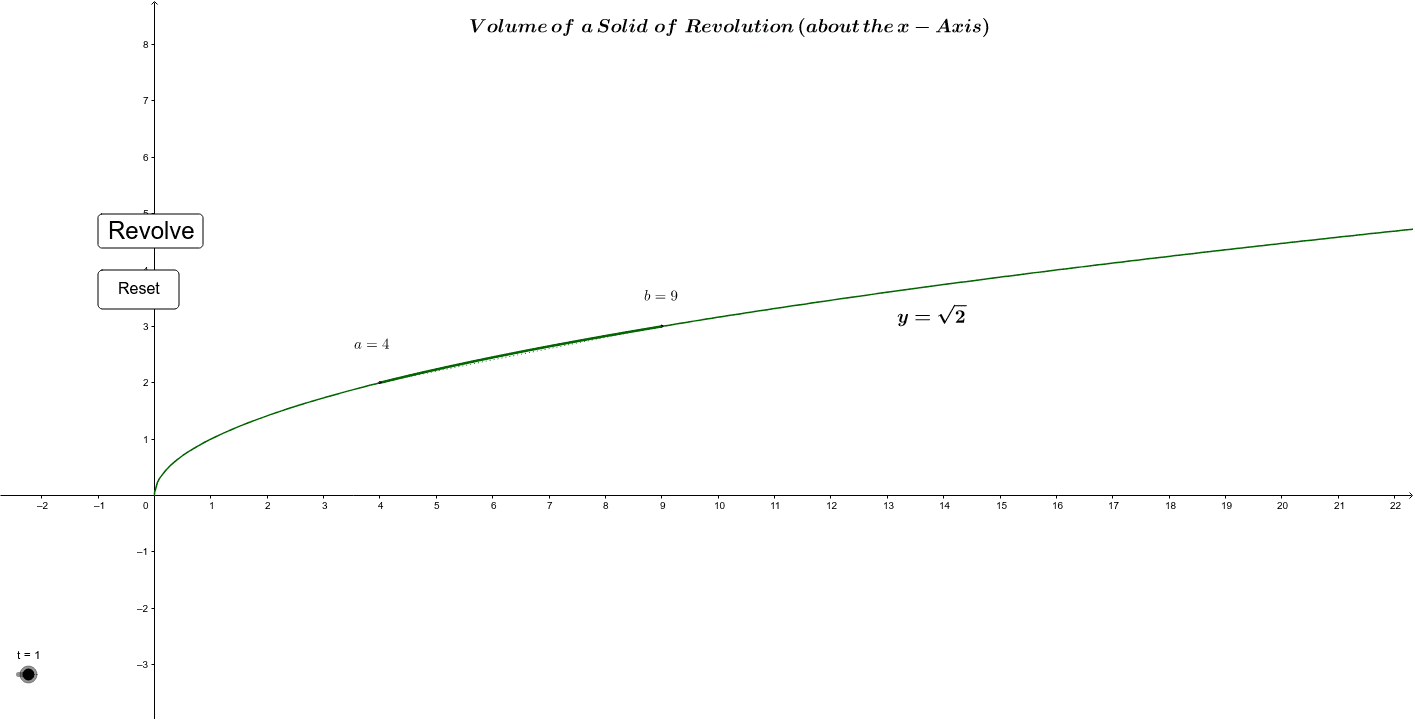
This example demonstrates how to generate a solid of revolution by rotating a plane figure and calculating its volume. Key mathematical concepts include the volume formula for solids of revolution in calculus. Using GeoGebra commands such as Ellipse, Point, Segment, and Locus, the process of generating the solid is visually illustrated. Suitable for high school mathematics education, particularly in calculus and solid geometry courses.
GeoGebra Commands & Parameters
Sequence((i, 0), i, 0, 20, n) → list4Sequence((k, k^(0.5)), k, 4, n - 1) → list5Sequence((k, (-k^(0.5))), k, 4, n - 1) → list6Ellipse(K, H, N) → cPoint(h) → BPoint(xAxis) → DEllipse(E, B, D) → dPoint(p) → GPoint(xAxis) → IEllipse(F, G, I) → kEllipse(Q, S, J) → rEllipse(P, W, L) → sSegment(S, P) → aSegment(Q, W) → bEllipse(M, O, R) → t_1Segment(T, U) → mSegment(U, V) → a_1Segment(T, Z) → b_1Segment(B_3, A_3) → c_1Segment(A_3, C_3) → d_1Segment(D_3, E_1) → e_1Locus(F_1, t) → loc1Point(r) → H_1Intersect(r, b, 1) → I_1CircleArc(G_1, H_1, I_1) → f_1Intersect(h_1, g_1) → C_1Point(g_1) → A_1Point(g_1) → B_1Point(xAxis) → J_1Ellipse(A_1, B_1, J_1) → k_1Point(k_1) → D_1Angle(D_1, C_1, A_1) → αIntersect(i_1, j_1) → C_2Point(j_1) → A_2Point(j_1) → B_2Point(xAxis) → J_2Ellipse(A_2, B_2, J_2) → p_1Point(p_1) → D_2Angle(D_2, C_2, A_2) → βSegment(D_1, D_2) → l_1If(o ≥ 5, false, true) → eSegment(K_1, L_1) → m_1Point(m_1) → M_1Vector(M_1, N_1) → uVector(O_1, P_1) → vVector(P_1, O_1) → w
AI Drawing Prompt Reference
Draw a solid of revolution generated by rotating the function y=x^0.5 above the x-axis around the x-axis and calculate its volume. First, plot the function, then rotate it around the x-axis to form the solid, use the ellipse command to draw the outline of the solid, and finally calculate the volume of the solid.
The prompt above was compiled from the original drawing commands and is for reference only.