
Volume Calculation of a Solid of Revolution
Loading the math board and drawing, please wait…
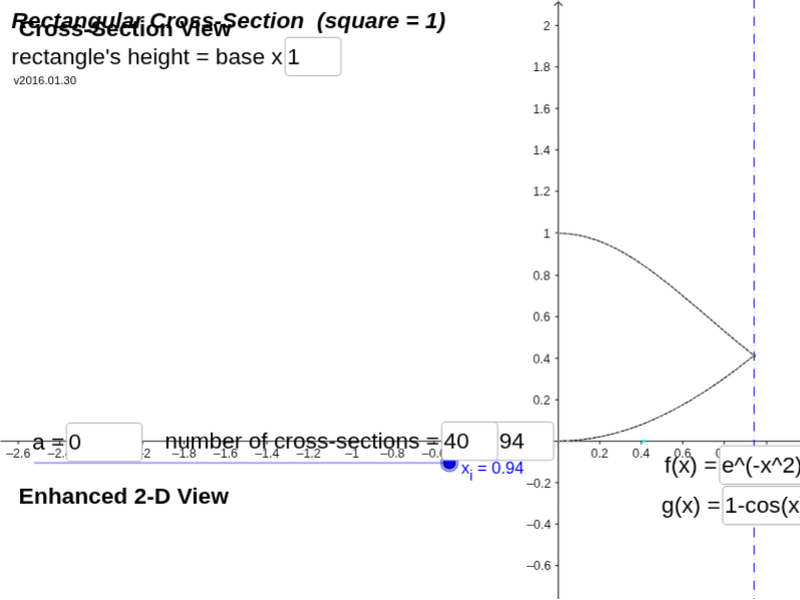
This example helps visualize an object built upon rectangular cross sections. Users can set the rectangle's height, two functions, limits, axis of rotation, and more. By adjusting these parameters, one can observe the shape changes of the solid of revolution. Core math concepts include functions, integrals, and solid geometry. GeoGebra commands used include Intersect, Textfield, Min, Max, IntegralBetween, Segment, Plane, Polygon, and SelectedIndex. Suitable for high school math education and learning.
GeoGebra Commands & Parameters
Intersect(f, l_c, (0.9419, 0.4118172442342063)) → P_{fc1}Intersect(g, l_c, (0.9419, 0.41174739900356305)) → P_{gc}Textfield(a) → inputBox_aTextfield(b) → inputBox_bMin(abs(rad_f), abs(rad_g)) → rad_iMax(abs(rad_f), abs(rad_g)) → rad_oIntersect(f, l_b, (0.941944, 0.4117831104733203)) → P_{fb}Intersect(g, l_b, (0.941944, 0.4117829813715109)) → P_{gb}Intersect(f, l_a, (0, 1)) → P_{fa}Intersect(g, l_a, (0, 0)) → P_{ga}IntegralBetween(f, g, Min[x(P_{fa}), x(P_{ga})], Max[x(P_{fb}), x(P_{gb})]) → RSegment((0, y_{rotation}), (0, If[abs(rad_f) ≥ abs(rad_g), y(P_{fc1}), y(P_{gc})])) → r_oSegment((0, y_{rotation}), (0, If[abs(rad_f) < abs(rad_g), y(P_{fc1}), y(P_{gc})])) → r_iPlane((x_i, y_{rotation}, rad_o), x = x_i) → pln3dTextfield(n) → InputBox1Polygon(P_{fc1}, P_{fcr}, P_{gc1}, P_{gc}) → rec_1, seg_{12}, seg_{13}, seg_{14}, seg_{11}Polygon(P_{fc2}, P_{fcr2}, P_{gcr2}, P_{gc2}) → rec_2, seg_{21}, seg_{22}, seg_{23}, seg_{24}Polygon(P_{fc1}, P_{fcr3}, P_{gcr3}, P_{gc}) → rec_3, seg_{31}, seg_{32}, seg_{33}, seg_{34}Textfield(rec_{height}) → InputBox2SelectedIndex(lstTraceOpt) → lstTOIndexTextfield(tf) → InputBox_fTextfield(tg) → InputBox_g
AI Drawing Prompt Reference
Draw a solid of revolution generated by rotating two functions f and g around the y-axis. Set the functions f and g, and the rotation range from x=0 to x=1. Adjust the height of f and g to observe changes in the solid of revolution. Draw rectangular cross-sections, calculate the volume of the solid, and display the internal structure of the solid.
The prompt above was compiled from the original drawing commands and is for reference only.