
Volume of a Rectangular Prism by adamgonzalez
Loading the math board and drawing, please wait…
In collections
Volume of Solids
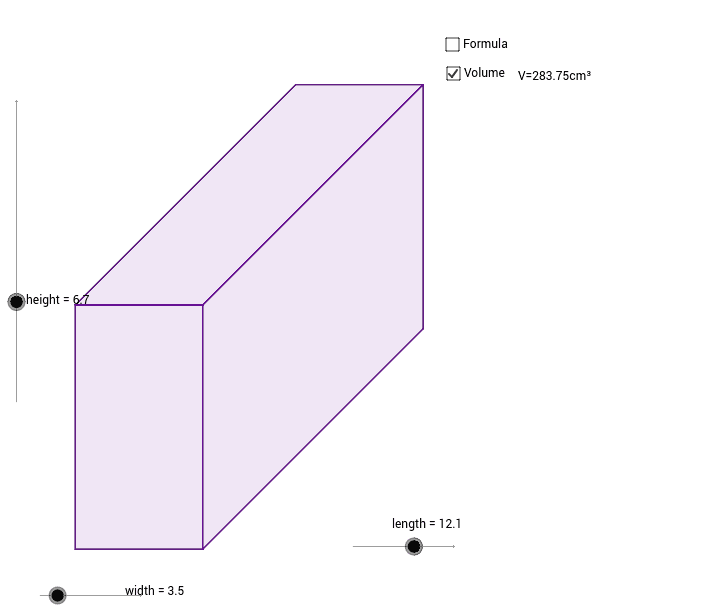
This example allows you to adjust the dimensions of a rectangular prism using sliders and displays the prism with or without the volume formula and calculation. Key mathematical concepts include volume calculation and geometric construction. GeoGebra commands used include Segment, Polygon, and Text. Suitable for middle school and above students for volume practice.
GeoGebra Commands & Parameters
Segment(A, B) → aSegment(A, C) → bSegment(B, D) → cSegment(C, D) → dSegment(B, E) → eSegment(E, F) → fSegment(F, D) → gSegment(H, F) → hSegment(G, H) → iPolygon(A, G, D, B) → poly1, a_1, g_1, d_1, b_1Polygon(B, E, F, D) → poly2, b_2, e_1, f_1, d_2Polygon(G, H, F, D) → poly3, g_2, h_1, f_2, d_3Text("V=" + height + "x" + width + "x" + length) → text2Text("V=" + (height * length * width) + "cm³") → text1
AI Drawing Prompt Reference
Draw a rectangular prism with three sliders to adjust its length, width, and height. Display the three faces of the prism and label the volume formula and calculation result next to it.
The prompt above was compiled from the original drawing commands and is for reference only.