
Volume Comparison of Cone and Cylinder
Loading the math board and drawing, please wait…
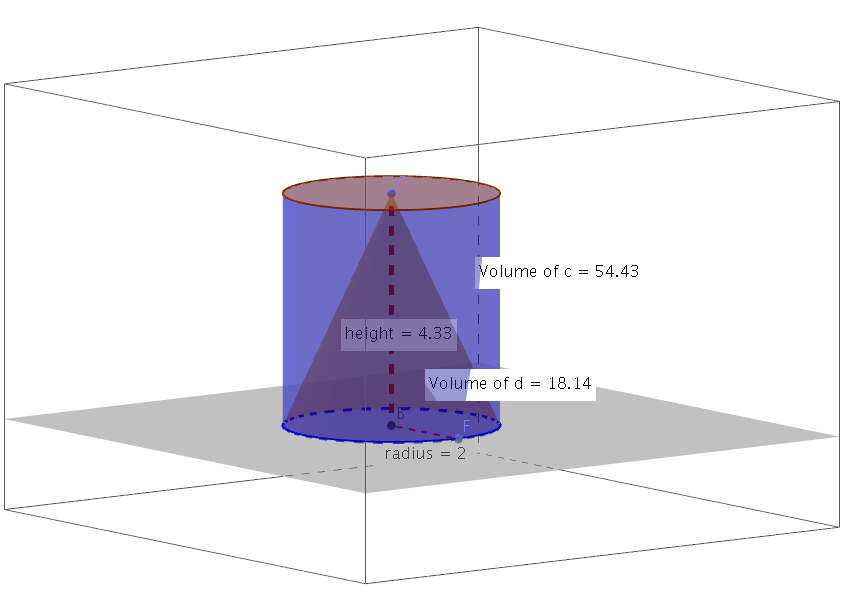
This example uses GeoGebra to demonstrate the volume comparison of a cone and a cylinder. Key mathematical concepts include cones, cylinders, and volume. It utilizes commands such as Intersect, OrthogonalLine, Point, Cone, Volume, PointIn, Cylinder, Segment, Distance, Midpoint. Suitable for middle school and above students to learn solid geometry.
GeoGebra Commands & Parameters
Intersect(xAxis, yAxis) → AOrthogonalLine(A, xOyPlane) → aPoint(a) → CCone(A, C, radius) → d, e, fVolume(d) → volumedPointIn(f) → PointfCylinder(A, C, radius) → c, g, h, iVolume(c) → volumecPointIn(i) → PointiSegment(A, C) → bDistance(A, C) → distanceACIntersect(b, e) → E,Point(e) → FSegment(E, F) → kDistance(E, F) → distanceEFIntersect(b, e) → BSegment(B, F) → lDistance(B, F) → distanceBFMidpoint(B, F) →
AI Drawing Prompt Reference
Draw a cone and a cylinder with the same base radius and height. First, plot the intersection point of the coordinate axes and the perpendicular line to the xOy plane. Determine the apex of the cone and the cylinder. Calculate and label the volumes of the cone and the cylinder. Connect the apex and the base center of both shapes with line segments. Finally, draw the side intersection lines of the cone and the cylinder, and label the distances of key points.
The prompt above was compiled from the original drawing commands and is for reference only.