
Volume Calculation and Solid Drawing
Loading the math board and drawing, please wait…
In collections
BC Calculus
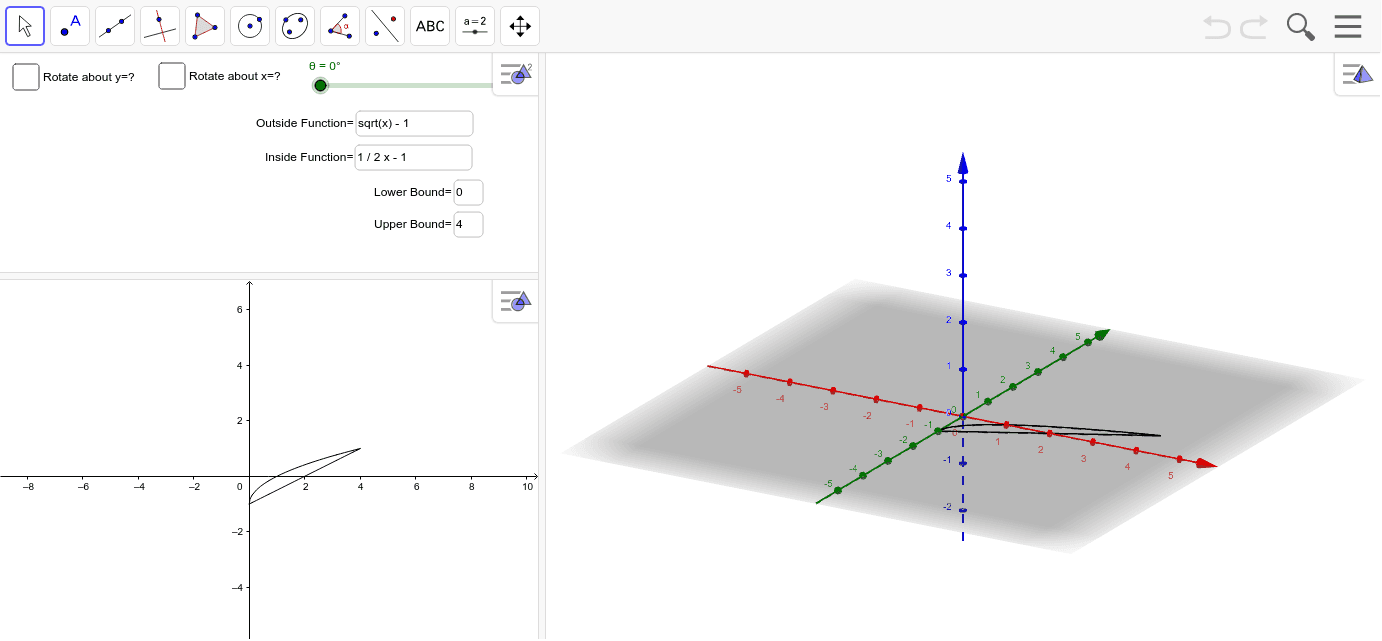
This example demonstrates calculating the volume of a solid using the washer method in calculus and dynamically drawing the solid with GeoGebra. Key mathematical concepts include integration, volume formulas, and geometric transformations. Construction involves commands like Invert, Line, Rotate, and objects such as g1, i1, a, b. Suitable for high school students or college freshmen learning calculus and geometric construction.
GeoGebra Commands & Parameters
Invert(g1) → i1Invert(g2) → i2Line(A, B) → LRotate(f1, θ, L) → p1Line(C, D) → MRotate(f1, θ, M) → q1Textfield(c) → inputBox1Textfield(d) → inputBox2Textfield(g1) → inputBox3Textfield(b) → inputBox5Textfield(a) → inputBox6Rotate(f2, θ, L) → p2Rotate(f2, θ, M) → q2Textfield(g2) → inputBox4
AI Drawing Prompt Reference
Draw a solid demonstrating volume calculation using the washer method, showing integration and volume formulas, with two inverted shapes and their intersecting lines, generated through rotation and dynamic transformations, labeled with key parameters and formulas for calculus and geometric construction learning.
The prompt above was compiled from the original drawing commands and is for reference only.