
Visualizing Complex Solutions of Quadratic Functions in Vertex Form (1)
Loading the math board and drawing, please wait…
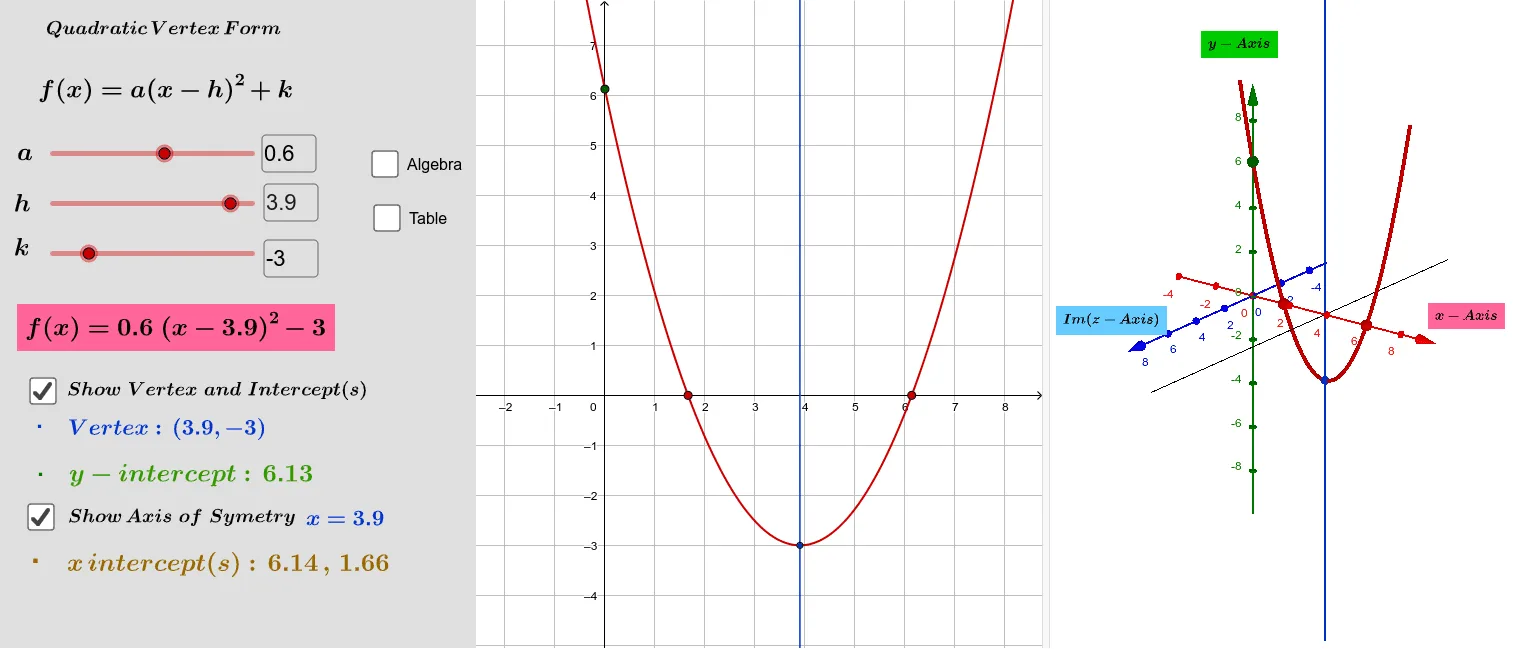
This example visualizes the complex solutions of quadratic functions in vertex form. It involves key mathematical concepts such as quadratic functions and complex numbers. Using GeoGebra commands like Polynomial, Textfield, Vertex, etc., the vertex form of a quadratic function is constructed, and its complex solutions are observed. Suitable for high school mathematics education and learning.
GeoGebra Commands & Parameters
Polynomial(f) → gTextfield(h) → InputBox1Vertex(c) → A, , ,Intersect(c, yAxis) → D,Intersect(c, xAxis) → F, GTextfield(k) → InputBox2Textfield(a) → InputBox3Defined(F) → jDefined(G) → lTableText({{A1, B1}, {A2, B2}, {A3, B3}, {A4, B4}, {A5, B5}, {A6, B6}, {A7, B7}, {A8, B8}, {A9, B9}, {A10, B10}, {A11, B11}, {A12, B12}}, "|_") → text20Mirror(g, n) → g_1Intersect(xAxis, g_1) → B, CIntersect(xAxis, i) → ERotate(g_1, α, i) → oLine(E, zAxis) → qSegment(E, B) → pCircle(E, p, i) → rIntersect(q, r) → H, IPlane(q, zAxis) → sIntersect(xAxis, g_1) → J, KComplexRoot((a * (x - h)^(2)) + k) → z_1, z_2Mirror(g, n) → g_2Rotate(g_2, α, i) → tComplexRoot(g) → z_3, z_4Rotate(g_1, α, i) → vPlane(q, zAxis) → wMirror(A_8, i) → LMirror(A_9, i) → MMirror(B_1, i) → NMirror(A_7, i) → O
AI Drawing Prompt Reference
Draw a quadratic function in vertex form and visualize its complex solutions. Start with the parabola and its mirror image, marking the vertex and axis intersections. When the parabola has no real x-intercepts, rotate the mirrored curve in 3D space to form a circle and a vertical line, whose intersections represent the real and imaginary parts of the complex roots. Include input fields for the parameters and a table of computed values. The final scene shows a 3D coordinate system with both real and imaginary planes, clearly displaying the complete complex solutions.
The prompt above was compiled from the original drawing commands and is for reference only.