
Visual Link Between the Unit Circle and Sinusoidal Graphs
Loading the math board and drawing, please wait…
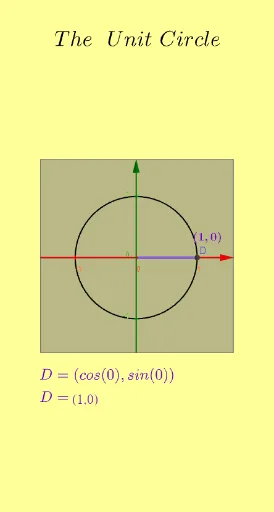
This example demonstrates how a point moving on the unit circle as an angle varies can be linked to the corresponding sinusoidal wave: the vertical projection of the rotating point gives sin(θ). The key mathematics includes the unit circle, right-triangle trigonometric meaning of sine, angle measurement, and interpreting a function graph through geometry (including period and symmetry). Construction-wise, it uses GeoGebra commands Circle to build the unit circle, Angle to define the rotation angle α from a reference direction, and Segment to form connecting lines that create the right-triangle structure and the coordinate projection. The scene is annotated with text objects (e.g., text1–text7, α) and controlled via interactive buttons (button1–button4) to vary θ and update the graph correspondence. Suitable for high school through early college, for introducing trigonometry and helping students connect formulas to geometric intuition.
GeoGebra Commands & Parameters
Circle(C, 1) → cAngle(E, C, D) → αSegment((0, 0), D) → bSegment(D, F) → fSegment((0, 0), F) → gSegment(B, G) → hSegment(A, (x(A), 0)) → i
AI Drawing Prompt Reference
Draw a unit circle in the coordinate plane and include a point that can move on the circle as an angle varies. Measure the rotation angle from a fixed reference direction and use the rotating point’s vertical projection onto the x-axis to define the sine value. Construct the right-triangle geometry by connecting the origin to the rotating point and by adding segments that link the rotating point to its x-axis projection, making the projection height visually equal to sin(θ). From the changing projection, present the matching sinusoidal graph so that as the angle changes the wave updates accordingly. Add labels for the rotation angle and brief text annotations showing the geometric-to-graph correspondence, and include interactive controls to vary θ.
The prompt above was compiled from the original drawing commands and is for reference only.