
Trigonometric Graphs from Circular Motion
Loading the math board and drawing, please wait…
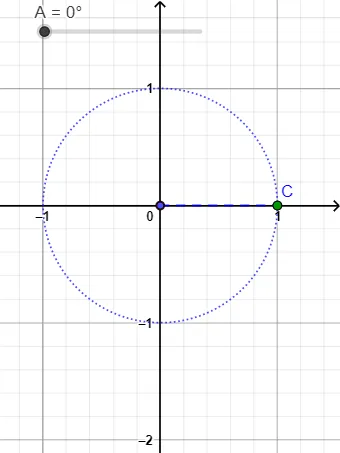
This example demonstrates how to construct and visualize trigonometric function graphs (such as sine and cosine, and related tangent forms) directly from the geometry of circular motion. The key mathematical ideas include the geometric meaning of trigonometric functions, the relationship between an angle and a point moving on a circle, and how angular measurements translate into function values and plotted curves. The construction uses GeoGebra objects to set up key points and their connections: Segment to draw required lines, Point to define moving/static reference points, Angle to represent the driving angle (e.g., α), and CurveCartesian to render the corresponding function graph in a Cartesian plane. The figure effectively maps the circle-based geometry to graphing of trigonometric relationships, making it suitable for classroom demonstrations and student exploration in trigonometry and function graphing (middle school to high school).
GeoGebra Commands & Parameters
Segment(D, C) → fPoint(xAxis) → EAngle(E, D, C) → αCurveCartesian((u, sin(u)), u, -30, 30) → aCurveCartesian((u, cos(u)), u, -30, 30) → b
AI Drawing Prompt Reference
Draw a trigonometric graph from circular motion, including a circle with a point E moving along its circumference to form angle α. Then plot the sine function y=sin(α) and cosine function y=cos(α) in a Cartesian plane, with the range from -30 to 30 degrees.
The prompt above was compiled from the original drawing commands and is for reference only.