
Virtual Geoboard: Rectangles
Loading the math board and drawing, please wait…
In collections
Geometric Figures on the Virtual Geoboard
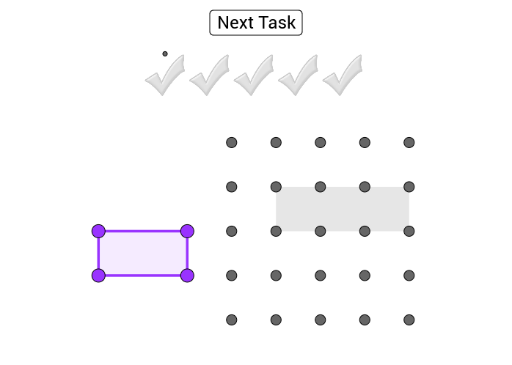
This example demonstrates how to create displayed rectangles on a virtual geoboard by dragging purple points onto the corresponding grid points. The core math concepts involved include polygon construction and coordinate geometry. The construction uses GeoGebra commands Polygon, Random, and Vector; objects include I_2, A_2, Z_1, W_1, H_2, V_1, U_1, T_1, G_2, D_2, C_2, B_2, F_2, S_1, R_1, Q_1, E_2, D_1, C_1, B_1, A, B, C, D, E, F, G, H, I, J, K, L, M, N, O, P, Q, R, S, T. Suitable for middle school and above students for learning and practicing geometric constructions.
GeoGebra Commands & Parameters
Polygon(B_1, C_1, D_1, E_2) → Vieleck1, h, k, n, sPolygon(I, G, R) → Vieleck2, r, i, gPolygon(L, O, P, S) → Vieleck3, a, b, c, dPolygon(A, C, W, U) → Vieleck4, j, q, t, ePolygon(L, O, A_1, V) → Vieleck5, m, j_1, k_1, l_1Polygon(I, B, D, G) → Vieleck6, f, l, p, c_1Random(1, 7) → zufPolygon(C, D, Z, W) → Vieleck7, a_1, e_1, i_2, j_2Polygon(R_1, Q_1, F_2, S_1) → Vieleck8, f_1, g_1, h_1, i_1Polygon(T_1, U_1, H_2, V_1) → Vieleck9, r_1, s_1, t_1, b_1Polygon(I_2, W_1, Z_1, A_2) → Vieleck10, d_1, f_2, g_2, h_2Polygon(B_2, C_2, G_2, D_2) → Vieleck11, m_1, n_1, p_1, q_1Vector(U_2, V_2) → u