
Venn Diagrams with Circles: Visual Set Operations via Intersection Regions
Loading the math board and drawing, please wait…
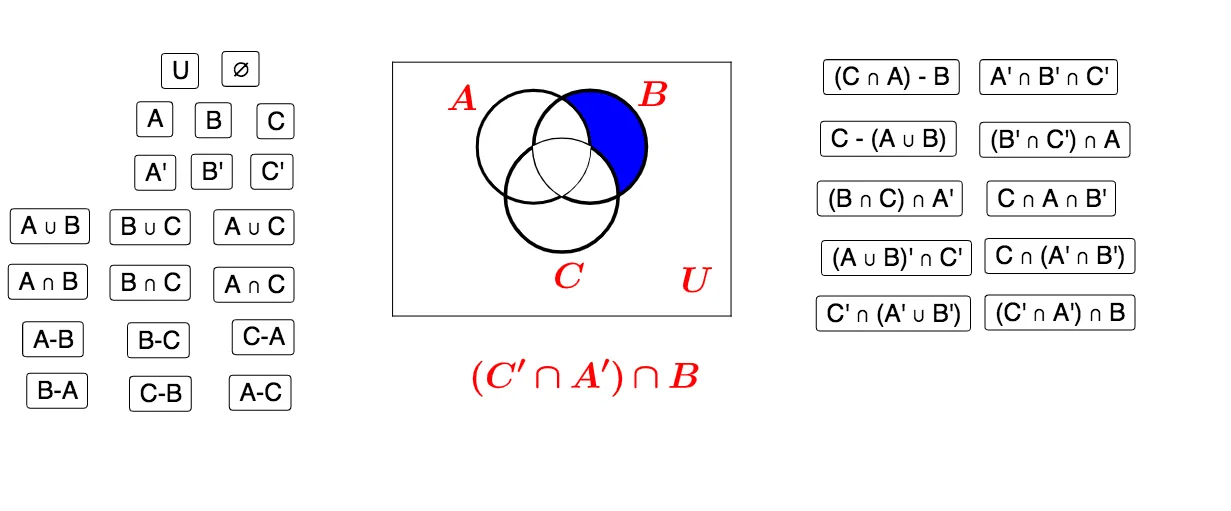
This example visualizes set operations using circular Venn diagram geometry: by constructing overlapping circles, the intersection and non-intersection regions directly correspond to the results of operations such as union and intersection. The key math ideas are set theory (set operations and region-based reasoning via Venn diagrams) together with geometric construction concepts—building boundaries from circle intersections and using sector/segment shapes to highlight the relevant areas. Construction is driven by creating points and polygonal structure first, then defining circles and computing their intersections to obtain the region-defining points, and finally using sector and segment objects to render the partitioned regions clearly. From the construction summary, it uses GeoGebra commands such as Polygon, Point, Circle, Intersect, CircleSector, and Segment, along with objects including A1–A30 (construction points), Universe (the universal set), A/B/C/D (set labels), and CenterA (a circle center). Suitable for upper-secondary through early undergraduate learning, and for lessons connecting abstract set operations to concrete geometric regions.
GeoGebra Commands & Parameters
Polygon(A, B, C, D) → Universe, a, b, c, dPoint(yAxis) → CenterACircle(CenterA, F) → CircleAPoint(CircleA) → CenterBCircle(CenterB, CenterA) → CircleBIntersect(CircleA, CircleB, 2) → CenterCCircle(CenterC, CenterA) → CircleCIntersect(CircleA, CircleB, 1) → ECircleSector(CenterA, CenterC, E) → AB1CircleSector(CenterB, E, CenterC) → AB2Intersect(CircleA, CircleC, 2) → GCircleSector(CenterA, G, CenterB) → AC1CircleSector(CenterC, CenterB, G) → AC2Intersect(CircleB, CircleC, 2) → HCircleSector(CenterC, H, CenterA) → BC1CircleSector(CenterB, CenterA, H) → BC2Circle(CenterA, F) → eCircle(CenterB, CenterA) → fCircle(CenterC, CenterA) → gSegment(A, B) → hSegment(B, C) → iSegment(C, D) → jSegment(D, A) → kCircleSector(CenterC, CenterB, CenterA) → ABC1CircleSector(CenterB, CenterA, CenterC) → ABC2CircleSector(CenterA, CenterC, CenterB) → ABC3
AI Drawing Prompt Reference
Draw a Venn diagram with four overlapping circles to visually represent set operations. Start by drawing a quadrilateral as the universal set, then create four circles with the vertices as centers, ensuring they intersect each other. Calculate the intersection points of the circles and use sectors and line segments to highlight the distinct regions of intersection and non-intersection, clearly showing the union and intersection of sets.
The prompt above was compiled from the original drawing commands and is for reference only.