
Vector with Magnitude and Direction
Loading the math board and drawing, please wait…
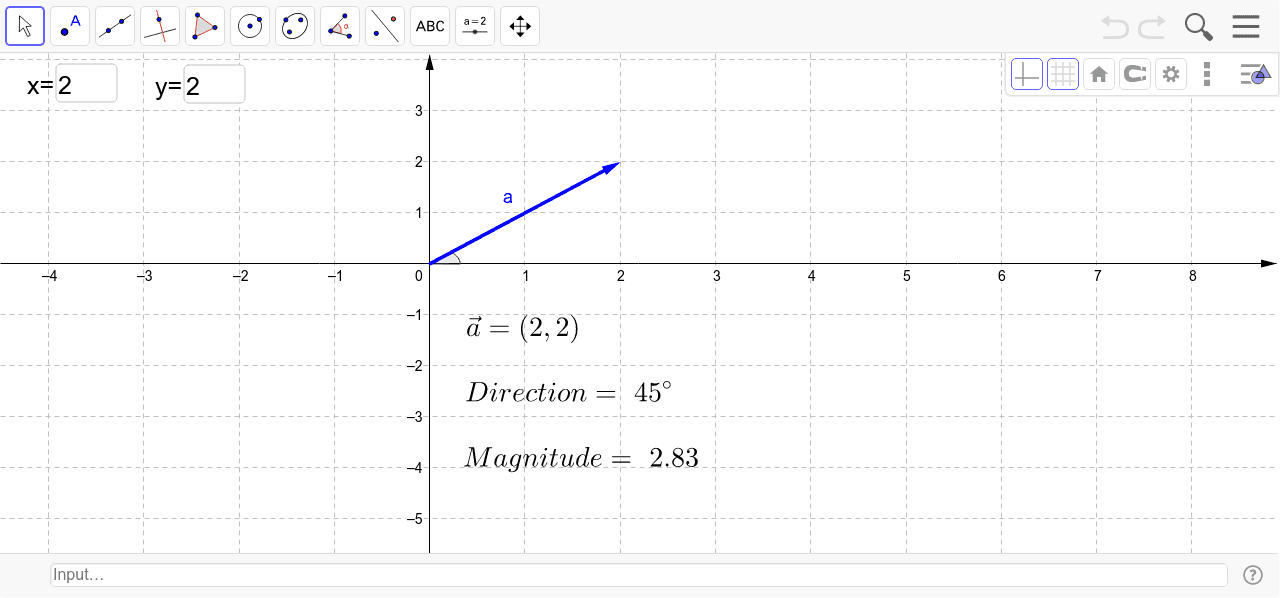
This example demonstrates how to draw a vector in a coordinate system and display its magnitude and direction in real-time. Key math concepts include vectors, coordinate geometry, and angle calculation. Construction highlights involve using Segment for line segments, Textfield for text display, Angle for angle measurement, and Vector for vector creation. Suitable for high school mathematics teaching on vector basics and geometric applications.
GeoGebra Commands & Parameters
Segment(A, C) → dTextfield(x1) → inputBox1Textfield(y1) → inputBox2Segment(A, B) → bAngle(C, A, B) → αSegment(A, D) → cSegment(D, B) → eVector(A, B) → a