
Vector and Geometric Transformation Demo
Loading the math board and drawing, please wait…
In collections
Symmetry, Transformation and Tessellation
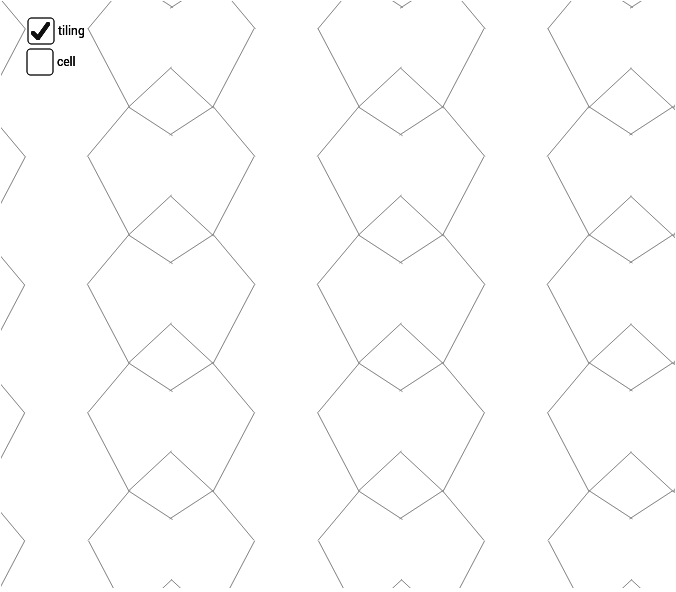
This example dynamically demonstrates vector construction, midpoint, mirroring, and sequence generation in three-dimensional space, showcasing geometric transformations. Core concepts include vector operations, geometric transformations, sequence generation, and three-dimensional coordinate geometry. It utilizes GeoGebra commands and objects like Point, Midpoint, Vector, Segment, Mirror, Sequence, and Line. Suitable for high school students and mathematics teachers to understand the principles and applications of three-dimensional vectors and geometric transformations.
GeoGebra Commands & Parameters
Point(xAxis) → BMidpoint(A, B) → EMidpoint(B, D) → FMidpoint(D, C) → GMidpoint(C, A) → HMidpoint(C, B) → IVector(A, B) → uVector(A, C) → vVector(C, D) → wVector(B, D) → aSegment(H, F) → bSegment(E, G) → cSegment(J, K) → eSegment(K, L) → fSegment(K, M) → gSegment(K, N) → hMirror(cell1, c) → cell2Sequence(Translate[Sequence[Translate[tile, Vector[(n * u)]], n, -3, 3], Vector[(m * v)]], m, -3, 3) → tilingLine(C, A) → kLine(G, E) → lLine(D, B) → m
AI Drawing Prompt Reference
Create a dynamic demonstration in three-dimensional space showing vector construction, midpoint, mirroring, and sequence generation, including vector operations, geometric transformations, sequence generation, and three-dimensional coordinate geometry. Start by plotting points on the coordinate axes, then calculate multiple midpoints, draw vectors, segments, and perform mirror transformations, and finally generate a sequence of translated shapes to illustrate geometric transformations.
The prompt above was compiled from the original drawing commands and is for reference only.