
Vector Addition Demo by K Hodgson
Loading the math board and drawing, please wait…
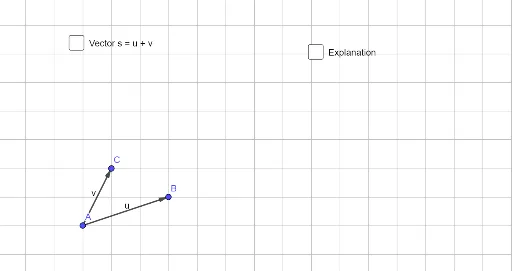
This example visually demonstrates vector addition in two dimensions. Key math concepts include vector representation, parallelogram law, and triangle law of vector addition. GeoGebra commands like Vector, Point, and Translate are used to construct the demonstration, allowing interactive manipulation of vector endpoints. Suitable for high school students learning vector basics and spatial reasoning skills.
GeoGebra Commands & Parameters
Vector(A, B) → uVector(A, C) → vPoint(xAxis) → DTranslate(D, u) → D'Vector(D, D') → wTranslate(D', v) → D''Vector(D', D'') → rTranslate(D, s) → D'_1Vector(D, D'_1) → t
AI Drawing Prompt Reference
In a 2D coordinate plane, draw two vectors starting from the origin to two distinct points, forming an angle. Place a movable point on the x-axis. From this point, translate the first vector, then from its endpoint translate the second vector, marking the final endpoint. Also, from the x-axis point, translate the sum of the two vectors directly to another endpoint. Connect the x-axis point to both endpoints with arrowed segments, creating two triangles that illustrate the triangle and parallelogram laws of vector addition. All vector endpoints should be draggable to observe changes in the resultant vector.
The prompt above was compiled from the original drawing commands and is for reference only.