
Vector Addition Demo by Ian Robertson
Loading the math board and drawing, please wait…
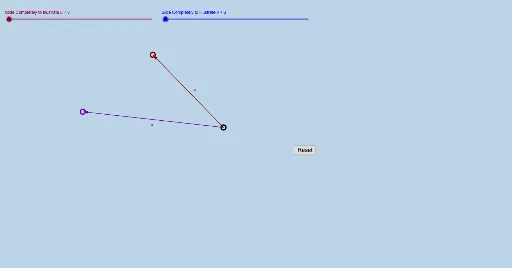
This example demonstrates vector addition using the parallelogram and triangle laws. Core math concepts include vectors, coordinate geometry, and geometric constructions. It utilizes GeoGebra commands like Vector, Rotate, Dilate, Translate, and Textfield with objects such as vectors v, u, points A, B, C, etc. Suitable for high school mathematics teaching and understanding vector operations.
GeoGebra Commands & Parameters
Vector(A, B) → vVector(A, C) → uRotate(C, If[0 < a ≤ 1, ((a * 180))°, 180°], A) → C'Dilate(A, If[1 < a < 2, 2 - a, 1], B) → A'Vector(A, A') → bRotate(C, 180°, A) → C'_1Translate(C'_1, b) → DTranslate(C'_1, v) → EVector(A, E) → fTextfield() → InputBox1Dilate(A, If[0 < a ≤ 1, 1 - a, 0], C) → A'_1Vector(A, A'_1) → wTranslate(B, w) → B'Vector(A'_1, B') → cDilate(A, If[1 < a ≤ 2, 2 - a, 0], B') → A'_2Vector(A, A'_2) → dVector(A, B) → eDilate(A, If[0 < g ≤ 1, 1 - g, 0], B) → A'_3Vector(A, A'_3) → hTranslate(C, h) → C'_2Vector(A'_3, C'_2) → iVector(A, C) → jDilate(A, If[1 < g ≤ 2, 2 - g, 0], C'_2) → A'_4Vector(A, A'_4) → k
AI Drawing Prompt Reference
Draw a vector addition demonstration showing both the parallelogram and triangle laws. Start by drawing two vectors, then use rotation and scaling to construct the parallelogram and its diagonal to illustrate vector addition. Also, demonstrate the triangle law of vector addition. The final image should include several auxiliary points and lines, clearly showing the process of vector operations.
The prompt above was compiled from the original drawing commands and is for reference only.