
Vector Addition and Subtraction: Translation and Geometric Construction
Loading the math board and drawing, please wait…
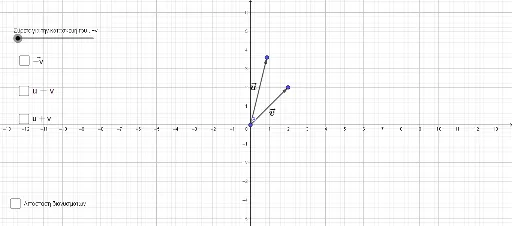
This GeoGebra example dynamically demonstrates vector addition and subtraction using geometric constructions. It visualizes how vectors are combined or differenced through translation, points, and segments. Core mathematical concepts include geometric representation of vectors, the triangle law and parallelogram law for addition, and the coordinate interpretation of vector operations. Construction highlights: the Vector command creates vectors u and v, Translate shifts vectors to new positions, Point and Segment define key points A, B, C, D and auxiliary segments, resulting in vector w (sum) and difference vectors, with text labels text1 and text2 explaining the operations. Suitable for high school or early college students learning vector operations visually, and useful for teachers demonstrating or students exploring vector addition and subtraction rules.
GeoGebra Commands & Parameters
Vector(A, B) → uVector(A, C) → vTranslate(v, B) → wPoint(w) → DVector(A, D) → cSegment(B, C) → fSegment(B, D) → jSegment(C, D) → kVector(C, B) → dTranslate(Vector[(-v)], B) → h
AI Drawing Prompt Reference
Create a geometric diagram illustrating vector addition and subtraction. Start with a common initial point, from which draw two vectors in different directions. Translate the second vector so its tail coincides with the head of the first vector, marking the new head as a point. Connect the initial point to this new point to show the sum vector. Then draw a segment from the head of the first vector to the head of the second vector, and also connect relevant points to form auxiliary segments, representing the difference. Additionally, draw a vector from the head of the second vector back to the head of the first vector, and translate this reversed vector to start near the initial point, showing another difference vector. Include text labels explaining the operations.
The prompt above was compiled from the original drawing commands and is for reference only.