
Using Matrices for Transformations
Loading the math board and drawing, please wait…
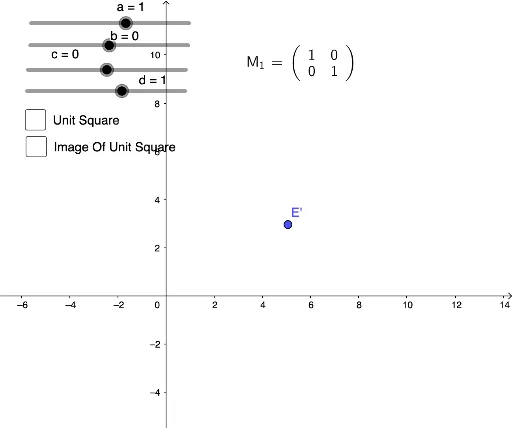
① This example demonstrates how to apply matrix-based linear transformations to plane figures such as triangles and quadrilaterals, showing the resulting changes in position and shape. ② The core mathematical concepts are matrix multiplication and geometric transformations (including rotation, scaling, shearing), as well as the application of matrices in coordinate transformations. ③ Construction highlights: based on the construction summary, it uses GeoGebra commands Segment and ApplyMatrix, creating original objects a, b, c, d and matrix M_1, then generating transformed points A', B', C', D', along with auxiliary segments f, g, h, i and text1 for labeling and explanation. ④ Suitable for high school or early college students learning linear algebra and analytic geometry, and for teachers demonstrating the visual effects of matrix transformations in class.
GeoGebra Commands & Parameters
Segment(A, C) → fSegment(C, D) → gSegment(D, B) → hSegment(B, A) → iApplyMatrix(M_1, A) → A'ApplyMatrix(M_1, B) → B'ApplyMatrix(M_1, C) → C'ApplyMatrix(M_1, D) → D'Segment(A, B') → jSegment(A, C') → kSegment(B', D') → lSegment(C', D') → mApplyMatrix(M_1, E) → E'LaTeX(M_1, true, true) → text1
AI Drawing Prompt Reference
Draw a quadrilateral ABCD, then apply a matrix transformation M_1 to generate the transformed quadrilateral A'B'C'D'. First, draw the four sides of quadrilateral ABCD, then apply the matrix transformation to generate new vertices A', B', C', and D', and finally draw the four sides of the transformed quadrilateral A'B'C'D'.
The prompt above was compiled from the original drawing commands and is for reference only.