
Using Function Notation
Loading the math board and drawing, please wait…
In collections
Geom. & Alg.: Quadratics
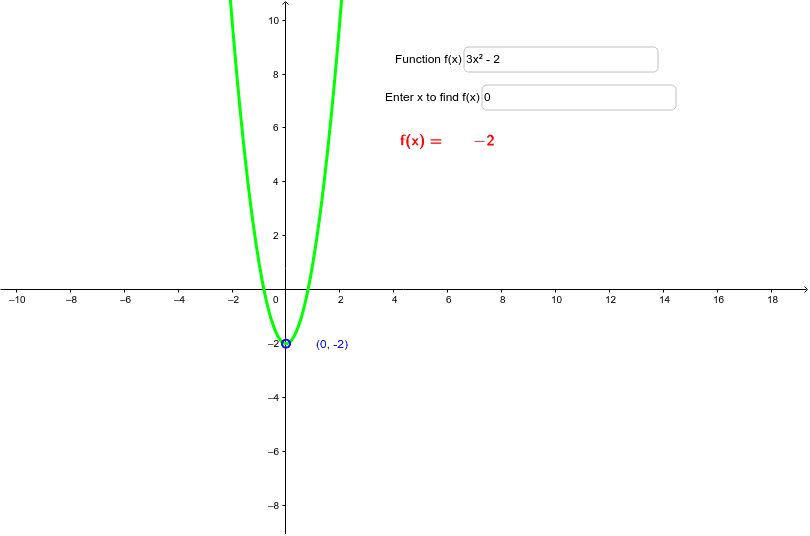
This example demonstrates how to use GeoGebra to illustrate the difference and advantage of function notation f(x) over traditional notation y=. It covers core math concepts like function representation, analytical geometry, and function graphing. Key GeoGebra commands and objects used include Textfield, LaTeX, and objects like f, a, b, inputBox1, inputBox2, A, text1, text2 for defining functions, parameters, and text outputs. Suitable for high school mathematics teaching to help students understand the standardization and universality of function notation.
GeoGebra Commands & Parameters
Textfield(f) → inputBox1Textfield(a) → inputBox2LaTeX(f(a)) → text2
AI Drawing Prompt Reference
Create a diagram illustrating the difference and advantage of function notation f(x) over traditional notation y=. Include two input boxes for entering a function and a parameter, a text display showing the function value, and the function graph, demonstrating core concepts like function representation, analytical geometry, and graphing, suitable for high school mathematics to emphasize the standardization and universality of function notation.
The prompt above was compiled from the original drawing commands and is for reference only.