
Using Equations to Complete Tables
Loading the math board and drawing, please wait…
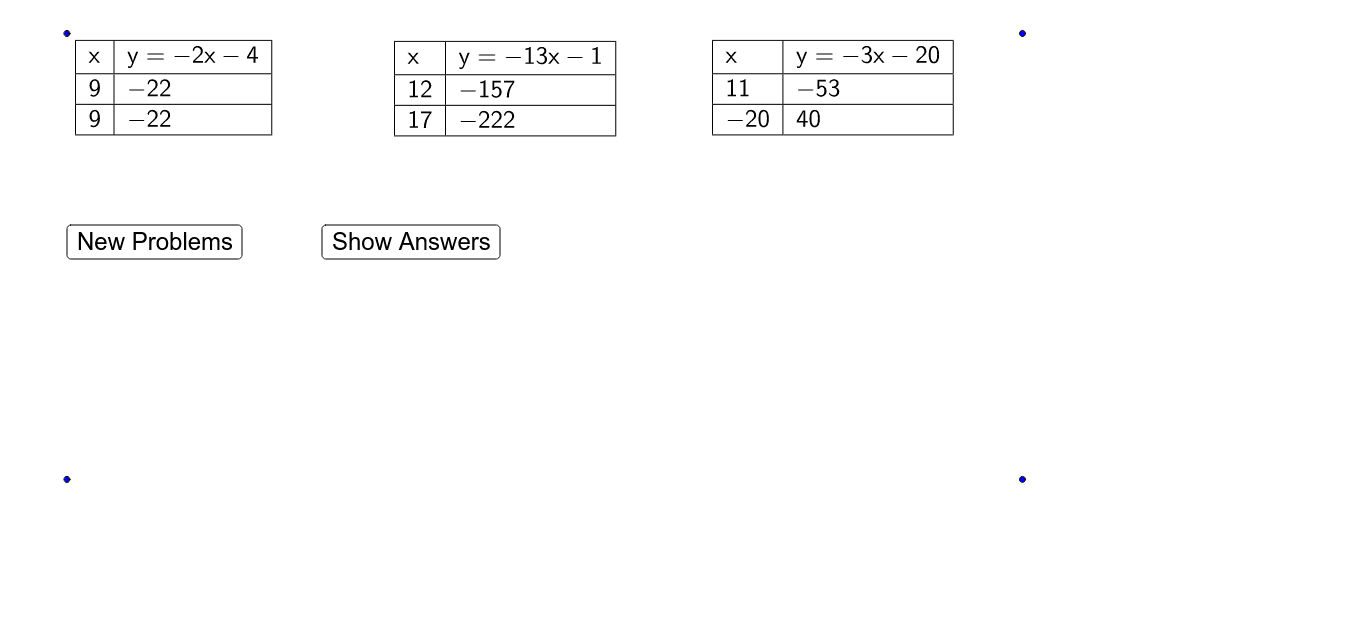
This example demonstrates how to fill data tables using equations, involving core math concepts like equations and linear equations. It utilizes commands like RemoveUndefined, Element, Random, Text, If, FractionText, TableText in GeoGebra for construction. Suitable for middle school and above students to understand equation applications and data processing.
GeoGebra Commands & Parameters
RemoveUndefined(Sequence[(-21 + i)^(2) / (-21 + i), i, 1, 41]) → numersXElement(numersX, Random[1, 20]) → numerX1Element(numersX, Random[1, 20]) → numerX2Element(numersX, Random[1, 20]) → numerX3Element(numersX, Random[1, 20]) → numerX4Element(numersX, Random[1, 20]) → numerX5Element(numersX, Random[1, 20]) → numerX6Random(-20, 20) → X1ARandom(-20, 20) → X2ARandom(-20, 20) → X3ARandom(-20, 20) → X4ARandom(-20, 20) → X5ARandom(-20, 20) → X6ARandom(-20, 20) → X1BRandom(-20, 20) → X2BRandom(-20, 20) → X3BRandom(-20, 20) → X4BRandom(-20, 20) → X5BRandom(-20, -1) → b1Random(-20, 20) → X6BRandom(-20, -1) → b2Random(-20, -1) → b3Random(-20, -1) → b4Random(-20, -1) → b5Random(-20, -1) → b6Text(abs(numerX2)) → forTextNumber2Text(abs(numerX3)) → forTextNumber3Text(abs(numerX4)) → forTextNumber4Text(abs(numerX5)) → forTextNumber5Text(abs(numerX6)) → forTextNumber6If(numerX1 < 0, " - ", " ") → signX1If(numerX2 < 0, " - ", " ") → signX2If(numerX3 < 0, " - ", " ") → signX3If(numerX4 < 0, " - ", " ") → signX4If(numerX5 < 0, " - ", " ") → signX5If(numerX6 < 0, " - ", " ") → signX6Text(abs(numerX1)) → forTextNumber1Text(denomX1) → forTextDenomX1Text(denomX2) → forTextDenomX2Text(denomX3) → forTextDenomX3Text(denomX4) → forTextDenomX4Text(denomX5) → forTextDenomX5Text(denomX6) → forTextDenomX6If(b1 < 0, " - ", " + ") → signB1If(b2 < 0, " - ", " + ") → signB2If(b3 < 0, " - ", " + ") → signB3If(b4 < 0, " - ", " + ") → signB4If(b5 < 0, " - ", " + ") → signB5If(b6 < 0, " - ", " + ") → signB6Text(X1A) → forTextX1AText(X2A) → forTextX2AText(X3A) → forTextX3AText(X4A) → forTextX4AText(X5A) → forTextX5AText(X6A) → forTextX6AText(X1B) → forTextX1BText(X2B) → forTextX2BText(X3B) → forTextX3BText(X4B) → forTextX4BText(X5B) → forTextX5BText(X6B) → forTextX6BFractionText(y1B) → forTexty1BFractionText(abs(b1)) → forTextb1FractionText(abs(b2)) → forTextb2FractionText(abs(b3)) → forTextb3FractionText(abs(b4)) → forTextb4FractionText(abs(b5)) → forTextb5FractionText(abs(b6)) → forTextb6FractionText(outSide1) → forTextOutSide1FractionText(outSide2) → forTextOutSide2FractionText(outSide3) → forTextOutSide3FractionText(outSide4) → forTextOutSide4FractionText(outSide6) → forTextOutSide6FractionText(outSide5) → forTextOutSide5FractionText(y1A) → forTexty1AFractionText(y2A) → forTexty2AFractionText(y2B) → forTexty2BFractionText(y3A) → forTexty3AFractionText(y3B) → forTexty3BFractionText(y4A) → forTexty4AFractionText(y4B) → forTexty4BFractionText(y5A) → forTexty5AFractionText(y5B) → forTexty5BFractionText(y6A) → forTexty6AFractionText(y6B) → forTexty6BIf(showAnswers ≟ true, forTexty1A, " ") → B2If(showAnswers ≟ true, forTextX1B, " ") → A3If(showAnswers ≟ true, forTexty2A, " ") → E2If(showAnswers ≟ true, forTexty3A, " ") → H2If(showAnswers ≟ true, forTexty4A, " ") → K2If(showAnswers ≟ true, forTexty5A, " ") → N2If(showAnswers ≟ true, forTexty6A, " ") → Q2If(showAnswers ≟ true, forTextX2B, " ") → D3If(showAnswers ≟ true, forTextX3B, " ") → G3If(showAnswers ≟ true, forTextX4B, " ") → J3If(showAnswers ≟ true, forTextX5B, " ") → M3If(showAnswers ≟ true, forTextX6B, " ") → P3TableText({{A1, B1}, {A2, B2}, {A3, B3}}, "|_") → Table1TableText({{G1, H1}, {G2, H2}, {G3, H3}}, "|_") → Table3TableText({{J1, K1}, {J2, K2}, {J3, K3}}, "|_") → Table4TableText({{M1, N1}, {M2, N2}, {M3, N3}}, "|_") → Table5TableText({{P1, Q1}, {P2, Q2}, {P3, Q3}}, "|_") → Table6TableText({{D1, E1}, {D2, E2}, {D3, E3}}, "|_") → Table2