
Unit Circle Trig Ratios
Loading the math board and drawing, please wait…
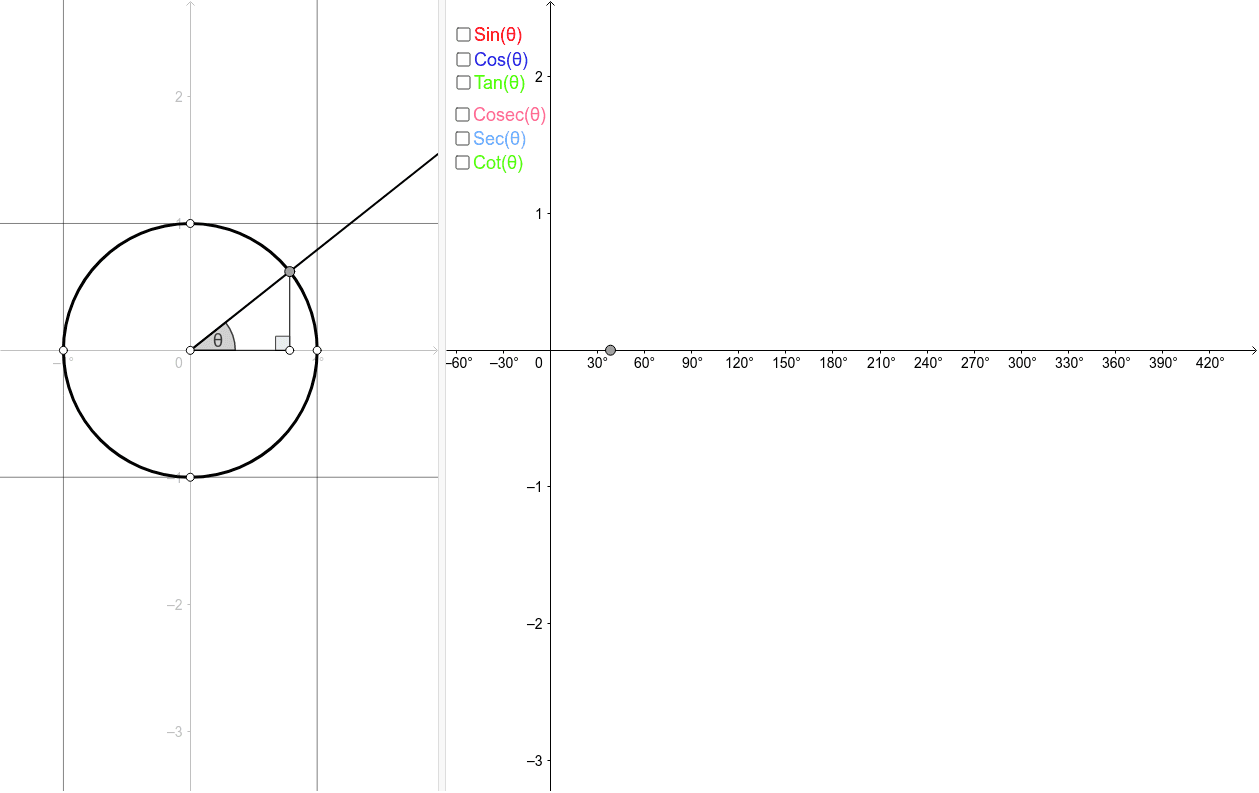
This example demonstrates the trigonometric ratios on the unit circle. By constructing points on the unit circle, it shows the changes in sine, cosine, and tangent values. Commands used include Circle, Point, Intersect, If, Ray, Line, etc. Suitable for high school math education to help students understand basic trigonometric concepts.
GeoGebra Commands & Parameters
Circle((0, 0), 1) → cPoint(c) → PIntersect(xAxis, yAxis) → OIf(y(P) ≥ y(A), Distance[P, A], (-Distance[P, A])) → sinValRay(O, P) → aLine((0, 1), (1, 1)) → bLine((1, 0), (1, 1)) → dIntersect(b, d) → CIntersect(d, a) → QIntersect(b, a) → XIntersect(c, b) → D,Intersect(d, xAxis) → BAngle(B, O, P) → θIf(x(A) ≥ x(O), Distance[O, A], (-Distance[O, A])) → cosValSegment(P, A) → eLine((-1, 0), (-1, -1)) → d'Intersect(d', a) → Q'Intersect(c, d', 1) → B'If(x(P) ≥ 0, If[(sinVal * cosVal) ≥ 0, Distance[B, Q], (-Distance[B, Q])], If[(sinVal * cosVal) ≥ 0, Distance[B', Q'], (-Distance[B', Q'])]) → tanValIntersect(b', a) → X'If(x(P) ≥ 0, If[cosVal ≥ 0, Distance[O, Q], (-Distance[O, Q])], If[cosVal ≥ 0, Distance[O, Q'], (-Distance[O, Q'])]) → secValIf(y(P) ≥ 0, If[(sinVal * cosVal) ≥ 0, Distance[D, X], (-Distance[D, X])], If[(sinVal * cosVal) ≥ 0, Distance[D', X'], (-Distance[D', X'])]) → cotValIf(y(P) ≥ 0, If[sinVal ≥ 0, Distance[O, X], (-Distance[O, X])], If[sinVal ≥ 0, Distance[O, X'], (-Distance[O, X'])]) → cosecValLocus(Y_{cosec}, P) → cosecLocusSegment(P_0, Y_{cosec}) → gLocus(Y_{sec}, P) → cotLocusSegment(P_0, Y_{sec}) → hLocus(Y_{cot}, P) → loc3Segment(Y_{cot}, P_0) → jLocus(Y_{sin}, P) → sinLocusSegment(Y_{sin}, P_0) → lLocus(Y_{cos}, P) → cosLocusSegment(Y_{cos}, P_0) → nLocus(Y_{tan}, P) → tanLocusSegment(Y_{tan}, P_0) → pSegment(P, A) → f_1Segment(O, A) → g_1Segment(Q, B) → j_1Segment(B', Q') → k_1Segment(O, X) → l_1Segment(O, X') → m_1Segment(O, Q) → n_1Segment(Q', O) → p_1Segment(D, X) → q_1Segment(X', D') → r_1Segment(O, A) → s_1Angle(P, A, O) → α
AI Drawing Prompt Reference
Draw a unit circle and mark a point on it, showing its intersections with the coordinate axes. Draw a ray from the origin to the point and intersect it with reference lines to get several key points. Calculate and display the sine, cosine, and tangent values using these points, with different colors or line styles. Finally, plot the loci of sine, cosine, tangent, cotangent, secant, and cosecant to show their relationships with the angle.
The prompt above was compiled from the original drawing commands and is for reference only.